 viewit
0ca7618c85
viewit
0ca7618c85
Three related gaps found via careful moonraker-obico observation:

1. _build_file_metadata() read layer_height/total_layers/estimated_time
   from live self._state before falling back to the queried file's own
   GCodeStore row - so querying metadata for any file other than the
   currently/last tracked job leaked that job's values into the response.
   Live state is now only used when the query targets that same tracked
   file; any other filename relies solely on its own stored row.

2. curr_layer/total_layers were never reset at print end in either
   _on_print or _on_info - only explicitly overwritten if a later
   payload happened to carry those keys, otherwise stuck indefinitely.
   Additionally, a successful "finished" print only ever cleared
   file_ready (Issue #29's fix), while stoped/canceled reset every
   other per-job field (progress, filename, duration, ...) - finished
   now gets the same full reset. Found and fixed a knock-on bug this
   surfaced: the unconditional `self._state["filename"] = d.get(...)`
   right after the reset block would immediately undo the filename
   reset, since the printer's own finished/stoped/canceled payload
   still carries the just-ended job's filename - now only applied
   outside terminal states.

3. The printer's own "progress" during pre-print phases (auto_leveling/
   preheating/checking/updated/init) was forwarded as-is to
   virtual_sdcard.progress/display_status.progress, causing a
   non-monotonic jump-then-reset once real printing began. These phases
   no longer update the tracked progress value.

Reported by @fmontagna, who correctly identified all three as genuine
gaps rather than intentional behavior.

KX-Bridge
Control your Anycubic Kobra X with OrcaSlicer — no Klipper, no Raspberry Pi.
A Moonraker-compatible bridge that talks directly to the printer.
🧪 A community report on Reddit suggests the bridge also works with the Kobra S1 and Kobra S1 Max — protocols look compatible, but neither is officially tested or supported. Feedback welcome.
🇩🇪 Deutsche Version · 🇪🇸 Versión española




Like KX-Bridge? A coffee on Ko-fi keeps the project alive. ☕
Caution
Ongoing maintenance work — We are restructuring the repository (branch model, CI workflows, contribution process). You may notice changes to branch names, PR templates, and how releases are published. We apologise for any inconvenience. Handling, workflow, and long-term maintainability will be significantly improved as a result.
👉 Want to contribute? Please read CONTRIBUTING.md first.
✨ Features
| 🖨️ | Printer control — start, pause, resume, cancel, temperatures, print speed |
| 📊 | Live status — temperature, progress, layers, remaining time, camera stream |
| 🎨 | AMS / multicolor — slots with per-slot profile picker (assign your own brand from OrcaSlicer profiles per slot); bridge writes material & colour back to the printer display |
| 📦 | Import your own OrcaSlicer profiles — drag a ZIP from ~/.config/OrcaSlicer/user/<id>/filament/ into the bridge; they show up in the slot dropdown under ★ Own profiles |
| 📷 | Obico integration (experimental) — Time-Lapse and WebRTC live stream against a self-hosted Obico server via moonraker-obico |
| 📐 | Direct H.264 stream + Z-height — low-CPU camera path for Obico, current Z derived from layer-height for the print-progress widget |
| 🗂️ | GCode browser — uploaded files with thumbnails, print history, search & filter |
| 🧩 | Multi-printer — multiple printers in one bridge instance, switch via dropdown |
| ➕ | Add a printer with one click — just enter the IP, credentials are imported automatically |
| 🔁 | Robust MQTT reconnect — bridge survives overnight printer reboots without manual restart |
| 🌐 | Multi-language UI — DE / EN / ES / FR / IT / 中文, auto-detect browser locale |
| 🔄 | Self-update — install new versions directly in the browser |
| 🧠 | OrcaSlicer — full Moonraker protocol (HTTP + WebSocket); pair with the OrcaSlicer-KX build for proper per-slot vendor matching |
🚀 Quick Start
1. Prepare the printer
Enable LAN mode on the Kobra X: Printer display → Settings → Enable LAN mode
2. Start the bridge
Docker (recommended):
docker compose up -d
Linux binary (no Docker):
chmod +x kx-bridge && ./kx-bridge
Windows EXE (no Docker):
kx-bridge.exe
config\anddata\are created next to the EXE — portable.
With the Linux and Windows binaries,
config/anddata/(settings, SQLite, GCode store) live next to the program. Copy the whole folder = move the installation.
Python directly:
pip install -r bridge/requirements.txt
python bridge/kobrax_moonraker_bridge.py
3. Set up the printer
Open the Web UI: http://BRIDGE-IP:7125
On first start the Printers tab shows "+ Add printer" — just enter the printer's IP address, the rest (username, password, device ID) is fetched from the printer and decrypted automatically. Done.
More than one printer? Just click "+ Add printer" again — each gets its own port (7125, 7126, …) and is selectable from the header dropdown.
4. Connect OrcaSlicer
Printer → Connection type Moonraker → Host: http://BRIDGE-IP:7125
⚠️ Connection type must be Moonraker (not "Bambu" or "Klipper"). Enter the full URL including
http://and port:7125in the host field.
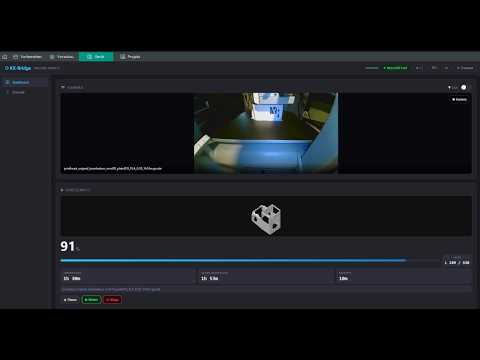
📺 Video Tutorial
🎨 Recommended Slicer
For proper AMS filament-sync we ship a patched OrcaSlicer build:
→ OrcaSlicer-KX releases (Linux AppImage + Windows ZIP)
Upstream PRs bundled in the KX build:
- PR #13372 — Moonraker / Happy-Hare AMS sync fix (slot positions stay correct even with empty slots)
- PR #13719 — Vendor + Name matching for Moonraker (reads
name+vendor_nameper slot and matches against the user's filament presets), by @LordGuenni - PR #13315 — Unique
filament_idfor user presets (so newly created custom profiles get a fresh ID instead of inheritingOGFL99from the generic parent), by @mrnoisytiger
Plus four KX-specific matching improvements on top:
- Respect the bridge filament hint (
tray_info_idx+ vendor) - Vendor match also when the chosen base preset is not is_compatible with the active printer (so a profile copied from a different machine still matches by vendor)
- Vendor match when
tray_info_idxis set but its preset is incompatible - Two-pass lookup: first compatible presets, then all visible ones
Why this matters: without #13719 the AMS slots in OrcaSlicer all fall back to Generic PLA / Generic PETG even though the bridge already sends the concrete brand (name + vendor_name + gate_filament_name). With the KX build OrcaSlicer matches your actual user presets — including profiles you imported into the bridge via the Import your own OrcaSlicer profiles flow.
Stock upstream OrcaSlicer still works for slicing and printing — you just lose the per-slot brand matching on AMS sync. Slot material + colour can still be pushed bridge → printer either way (that goes over MQTT, not via the slicer).
OrcaSlicer-KX is a build of OrcaSlicer (AGPL-3.0); source for each upstream PR is on GitHub, KX-specific patches live in the OrcaSlicer-KX repo.
🏠 Community & Integrations
- Home Assistant integration by @gangoke — exposes sensors, print controls, light, camera and the GCode thumbnail as native Home Assistant entities.
- Obico (self-hosted) — the bridge exposes a Moonraker-compatible surface that moonraker-obico accepts, so you get Time-Lapse and WebRTC live streaming against your own Obico server. The AI failure-detection side is experimental on the Kobra X (top-down camera angle differs from what the model was trained on).
These are community projects, not maintained or supported by KX-Bridge. For questions or issues, please use the linked repository.
🔧 Getting credentials manually
Normally not needed — "+ Add printer" does this automatically. If you do need it:
fetch_credentials --ip 192.168.x.x --write-config
Fetches the credentials directly from the printer via HTTP and writes them to config/config.ini.
Only the printer IP is required, no slicer.
Alternatively (if the IP is unknown): open AnycubicSlicerNext, connect the printer, then run
extract_credentials → outputs username, password, device ID and the printer IP.
Downloads: Releases →
fetch_credentials/extract_credentials(Linux & Windows)
⚙️ Useful commands
docker compose logs -f                 # show logs
docker compose down                    # stop the bridge
docker compose pull && docker compose up -d   # update to the latest published image
docker compose up -d --build           # rebuild locally (instead of pulling)
🌙 Nightly Builds
Nightly builds contain the latest unreleased features and are built automatically on every development push. They may be unstable — use them for testing or early access to new functionality.
docker compose -f docker-compose.yml -f docker-compose.nightly.yml pull
docker compose -f docker-compose.yml -f docker-compose.nightly.yml up -d
To go back to the stable release:
docker compose pull && docker compose up -d
🩹 Troubleshooting
"Wrong MQTT credentials" on start
- Re-add the printer via "+ Add printer", or run
fetch_credentials --ip <ip> --write-configand restart the bridge - Enter only the IP address, no port (✗
192.168.1.102:9883→ ✓192.168.1.102)
Printer not found / no LAN mode
- On the printer display: Settings → Enable LAN mode
- Printer and bridge must be on the same network
Docker: Permission denied
sudo usermod -aG docker $USER # then log out and back in
Upgrading from 0.9.1 or earlier
Starting with 0.9.2, KX-Bridge stores settings in config/config.ini instead of .env.
Migration runs automatically on first start after the upgrade — no action required.
🔒 Security
- The bridge is reachable on the local network at
http://<host-IP>:7125— do not expose it to the internet config/config.inicontains printer credentials — do not share publicly- The credentials do not grant access to Anycubic cloud services
📄 License

KX-Bridge is released under the GNU General Public License v3.0. See LICENSE for the full text. Forks and modifications must remain under GPLv3 if redistributed.
The MQTT protocol implementation is the result of independent reverse-engineering for interoperability purposes (§69e UrhG / EU Software Directive Art. 6). Third-party material in the repository (Anycubic TLS certificates) is not covered by GPLv3 and is included solely to enable authentication against printers the end-user already owns. See NOTICE.md for details and disclaimer.
This project is independent and not affiliated with Anycubic.
If KX-Bridge helps you, the project appreciates your support:
