Compare commits
1 Commits
nightly-0.
...
v0.9.29
| Author | SHA1 | Date | |
|---|---|---|---|
| 86adde0a45 |

@@ -1,6 +1,2 @@
|
||||
## Changes in this build
|
||||
|
||||
- Feat: `server/files/metadata` now uses the printer's own `buried/report` analytics event (fires once per print start, regardless of slicer) as a fallback for `size`/`estimated_time`/`layer_count` — fixes broken `size: 1`/`estimated_time: null` placeholders for files not in the bridge's own GCode store, e.g. prints started directly from Anycubic Slicer Next (Issue #102, thanks @fmontagna). Also surfaces the printer's storage usage (`storage_total_mb`/`storage_used_mb`) in `/api/state`.
|
||||
- Fix: **the bridge could get stuck in an endless reconnect loop after a printer disconnect, even once the printer was back online and reachable** — a container restart was the only way out. Two independent reconnect paths (the MQTT reader thread and the status-poll loop) could race into competing TLS handshakes, and the poll loop never noticed a dead MQTT session on its own since a failed send silently returned no data instead of raising an error. The bridge now reconnects automatically without manual intervention (Issue #105, thanks @p2l for the precise report).
|
||||
- Fix: the in-app update check on **stable** releases only ever looked at the single newest release on Gitea regardless of type — since nightly/dev prereleases publish far more often than stable ones, that newest release is almost always a prerelease, so the check found nothing and reported "no stable releases found" even though a newer stable release existed (Issue #104, thanks @Nerdinat0r).
|
||||
- Feat: printers with no MQTT-level standby/power-off command (i.e. all of them) can now be switched via an external smart plug (e.g. Tasmota) directly from the dashboard — configure a power-on/power-off/status URL per printer in Settings, and a power button with a live on/off indicator appears on that printer's card (Issue #103, thanks @ok24). Also fixes `config.ini` values containing a literal `%` (e.g. Tasmota's `cmnd=Power%20on` URLs) being rejected/corrupted by `configparser`'s default string interpolation.
|
||||
|
||||
17
README.de.md
17
README.de.md
@@ -23,7 +23,7 @@ Feedback willkommen.</sub>
|
||||
|
||||
[](https://gitea.it-drui.de/viewit/KX-Bridge-Release/releases)
|
||||
|
||||
[](https://www.youtube.com/watch?v=E3sDigSeSdM)
|
||||
[](https://www.youtube.com/watch?v=1Ql4wfH27fM)
|
||||
|
||||
<sub>Gefällt dir KX-Bridge? Ein Kaffee auf <a href="https://ko-fi.com/viewitde">Ko-fi</a> hält das Projekt am Leben. ☕</sub>
|
||||
|
||||
@@ -41,16 +41,12 @@ Feedback willkommen.</sub>
|
||||
| 🖨️ | **Druckersteuerung** — Start, Pause, Resume, Abbruch, Temperaturen, Druckgeschwindigkeit |
|
||||
| 📊 | **Live-Status** — Temperatur, Fortschritt, Layer, Restzeit, Kamera-Stream |
|
||||
| 🎨 | **AMS / Multicolor** — Slots mit **Profil-Picker pro Slot** (eigene Marke aus OrcaSlicer-Profilen pro Slot zuweisen); Bridge schreibt Material und Farbe ans Drucker-Display zurück |
|
||||
| 🏷️ | **Custom-RFID-Tag-Matching** — mit Drittanbieter-Tools (z.B. der „ACE RFID"-App) beschriebene Spulen werden automatisch nach Marke + Material gegen deine importierten OrcaSlicer-Profile gematcht, statt auf ein generisches Profil zurückzufallen |
|
||||
| 📦 | **Eigene OrcaSlicer-Profile importieren** — ZIP aus `~/.config/OrcaSlicer/user/<id>/filament/` in die Bridge ziehen; tauchen im Slot-Dropdown unter ★ Eigene Profile auf |
|
||||
| 🧵 | **Spoolman-Integration** — Spulen einzelnen AMS-Slots zuweisen, Filament-Verbrauch wird automatisch beim Drucken erfasst und synchronisiert |
|
||||
| 🔗 | **Multi-ACE-Unterstützung** — mehrere aneinandergekettete ACE-Einheiten, auch bei Druckern ohne Toolhead-Buffer |
|
||||
| 📷 | **Obico-Integration (experimentell)** — Time-Lapse und WebRTC-Livestream gegen einen selbst gehosteten [Obico-Server](https://github.com/TheSpaghettiDetective/obico-server) via moonraker-obico |
|
||||
| 📐 | **H.264-Direkt-Stream + Z-Höhe** — sparsamer Kamera-Pfad für Obico, aktuelle Z aus der Layer-Höhe abgeleitet (Mm-Progress-Widget); erholt sich automatisch nach einem Drucker-Reboot mit rotiertem Stream-Token, kein manueller Reset nötig |
|
||||
| 🗂️ | **GCode-Browser** — zwei Tabs: hochgeladene Dateien (mit Thumbnail, Druckhistorie, Suche & Filter, Mehrfachauswahl + Sammel-Löschen) und Dateien direkt auf dem Drucker-Speicher (mit echten Thumbnails, Mehrfachauswahl + Löschen) |
|
||||
| 📐 | **H.264-Direkt-Stream + Z-Höhe** — sparsamer Kamera-Pfad für Obico, aktuelle Z aus der Layer-Höhe abgeleitet (Mm-Progress-Widget) |
|
||||
| 🗂️ | **GCode-Browser** — hochgeladene Dateien mit Thumbnail, Druckhistorie, Suche & Filter |
|
||||
| 🧩 | **Multi-Printer** — mehrere Drucker in **einer** Bridge-Instanz, Umschalten per Dropdown |
|
||||
| ➕ | **Drucker hinzufügen per Klick** — nur die IP eingeben, Zugangsdaten werden automatisch importiert |
|
||||
| 🖱️ | **Frei anpassbares Dashboard** — Kacheln per Drag & Drop verschieben und in der Größe anpassen, als Preset speichern |
|
||||
| 🔁 | **Robuster MQTT-Reconnect** — Bridge überlebt nächtlichen Drucker-Reboot ohne manuellen Neustart |
|
||||
| 🌐 | **Mehrsprachiges UI** — DE / EN / ES / FR / IT / 中文, Browser-Sprache automatisch erkannt |
|
||||
| 🔄 | **Self-Update** — neue Versionen direkt im Browser installieren |
|
||||
@@ -72,11 +68,6 @@ LAN-Modus am Kobra X aktivieren:
|
||||
docker compose up -d
|
||||
```
|
||||
|
||||
> Zusätzlich Spoolman und einen kompletten selbst gehosteten Obico-Setup
|
||||
> (Spaghetti-Erkennung, Live-Stream) neben der Bridge? [`docker-compose-KX.yml`](docker-compose-KX.yml)
|
||||
> bündelt KX-Bridge + Spoolman + Obico (Web/ML/Tasks/Redis) + moonraker-obico
|
||||
> in einem Netzwerk — Setup-Schritte in den Kommentaren am Dateianfang.
|
||||
|
||||
**Linux-Binary (kein Docker):**
|
||||
```bash
|
||||
chmod +x kx-bridge && ./kx-bridge
|
||||
@@ -119,7 +110,7 @@ Drucker → Verbindungstyp **Moonraker** → Host: `http://BRIDGE-IP:7125`
|
||||
|
||||
## 📺 Video-Tutorial
|
||||
|
||||
[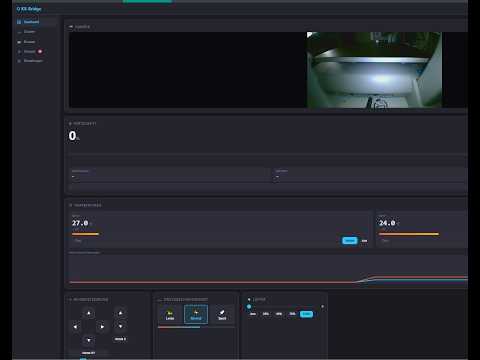](https://www.youtube.com/watch?v=E3sDigSeSdM)
|
||||
[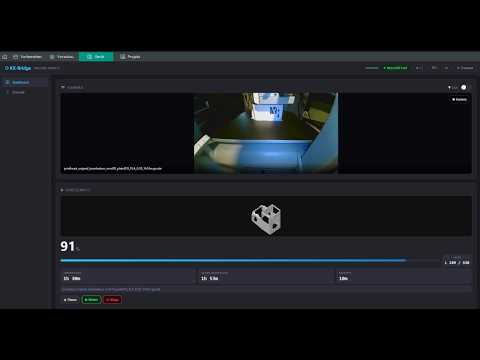](https://www.youtube.com/watch?v=1Ql4wfH27fM)
|
||||
|
||||
---
|
||||
|
||||
|
||||
17
README.es.md
17
README.es.md
@@ -22,7 +22,7 @@ ninguna está oficialmente probada ni soportada. Se agradece el feedback.</sub>
|
||||
|
||||
[](https://gitea.it-drui.de/viewit/KX-Bridge-Release/releases)
|
||||
|
||||
[](https://www.youtube.com/watch?v=E3sDigSeSdM)
|
||||
[](https://www.youtube.com/watch?v=1Ql4wfH27fM)
|
||||
|
||||
<sub>¿Te gusta KX-Bridge? Un café en <a href="https://ko-fi.com/viewitde">Ko-fi</a> mantiene el proyecto vivo. ☕</sub>
|
||||
|
||||
@@ -42,16 +42,12 @@ ninguna está oficialmente probada ni soportada. Se agradece el feedback.</sub>
|
||||
| 🖨️ | **Control de impresora** — iniciar, pausar, reanudar, cancelar, temperaturas, velocidad de impresión |
|
||||
| 📊 | **Estado en tiempo real** — temperatura, progreso, capas, tiempo restante, transmisión de cámara |
|
||||
| 🎨 | **AMS / multicolor** — ranuras con **selector de perfil por ranura** (asigna tu propia marca de los perfiles de OrcaSlicer a cada ranura); el puente escribe material y color al display de la impresora |
|
||||
| 🏷️ | **Coincidencia de etiquetas RFID personalizadas** — las bobinas etiquetadas con herramientas de terceros (p. ej. la app "ACE RFID") se emparejan automáticamente por marca + material con tus perfiles de OrcaSlicer importados, en lugar de caer en un perfil genérico |
|
||||
| 📦 | **Importa tus propios perfiles de OrcaSlicer** — arrastra un ZIP de `~/.config/OrcaSlicer/user/<id>/filament/` al puente; aparecen en el desplegable de la ranura bajo ★ Perfiles propios |
|
||||
| 🧵 | **Integración con Spoolman** — asigna bobinas a las ranuras del AMS, el consumo de filamento se registra y sincroniza automáticamente al imprimir |
|
||||
| 🔗 | **Soporte multi-ACE** — múltiples unidades ACE encadenadas, incluso en impresoras sin buffer en el cabezal |
|
||||
| 📷 | **Integración con Obico (experimental)** — Time-Lapse y stream en vivo WebRTC contra un [servidor Obico](https://github.com/TheSpaghettiDetective/obico-server) autoalojado vía moonraker-obico |
|
||||
| 📐 | **Stream H.264 directo + altura Z** — ruta de cámara de bajo consumo de CPU para Obico, Z actual derivada de la altura de capa (widget de progreso); se recupera automáticamente tras un reinicio de la impresora que rota el token del stream, sin necesidad de reinicio manual |
|
||||
| 🗂️ | **Explorador de GCode** — dos pestañas: archivos subidos (con vistas previas, historial de impresión, búsqueda y filtros, selección múltiple + borrado masivo) y archivos almacenados directamente en la memoria de la impresora (con vistas previas reales, selección múltiple + borrado) |
|
||||
| 📐 | **Stream H.264 directo + altura Z** — ruta de cámara de bajo consumo de CPU para Obico, Z actual derivada de la altura de capa (widget de progreso) |
|
||||
| 🗂️ | **Explorador de GCode** — archivos subidos con vistas previas, historial de impresión, búsqueda y filtros |
|
||||
| 🧩 | **Multi-impresora** — múltiples impresoras en **una** instancia del puente, cambia mediante un menú desplegable |
|
||||
| ➕ | **Añade una impresora con un clic** — solo introduce la IP, las credenciales se importan automáticamente |
|
||||
| 🖱️ | **Panel de control libre** — arrastra y redimensiona las tarjetas del panel a tu gusto, guárdalo como preset |
|
||||
| 🔁 | **Reconexión MQTT robusta** — el puente sobrevive a reinicios nocturnos de la impresora sin reinicio manual |
|
||||
| 🌐 | **Interfaz multilingüe** — DE / EN / ES / FR / IT / 中文, detecta automáticamente el idioma del navegador |
|
||||
| 🔄 | **Actualización automática** — instala nuevas versiones directamente desde el navegador |
|
||||
@@ -73,11 +69,6 @@ Activa el modo LAN en la Kobra X:
|
||||
docker compose up -d
|
||||
```
|
||||
|
||||
> ¿Quieres Spoolman y un setup completo de Obico autoalojado (detección de
|
||||
> espagueti, stream en vivo) junto al puente? [`docker-compose-KX.yml`](docker-compose-KX.yml)
|
||||
> combina KX-Bridge + Spoolman + Obico (web/ML/tasks/redis) + moonraker-obico
|
||||
> en una sola red — consulta los comentarios al inicio del archivo para los pasos de configuración.
|
||||
|
||||
**Binario Linux (sin Docker):**
|
||||
```bash
|
||||
chmod +x kx-bridge && ./kx-bridge
|
||||
@@ -120,7 +111,7 @@ Impresora → Tipo de conexión **Moonraker** → Host: `http://IP-DEL-PUENTE:71
|
||||
|
||||
## 📺 Vídeo tutorial
|
||||
|
||||
[](https://www.youtube.com/watch?v=E3sDigSeSdM)
|
||||
[](https://www.youtube.com/watch?v=1Ql4wfH27fM)
|
||||
|
||||
---
|
||||
|
||||
|
||||
17
README.md
17
README.md
@@ -22,7 +22,7 @@ officially tested or supported. Feedback welcome.</sub>
|
||||
|
||||
[](https://gitea.it-drui.de/viewit/KX-Bridge-Release/releases)
|
||||
|
||||
[](https://www.youtube.com/watch?v=E3sDigSeSdM)
|
||||
[](https://www.youtube.com/watch?v=1Ql4wfH27fM)
|
||||
|
||||
<sub>Like KX-Bridge? A coffee on <a href="https://ko-fi.com/viewitde">Ko-fi</a> keeps the project alive. ☕</sub>
|
||||
|
||||
@@ -42,16 +42,12 @@ officially tested or supported. Feedback welcome.</sub>
|
||||
| 🖨️ | **Printer control** — start, pause, resume, cancel, temperatures, print speed |
|
||||
| 📊 | **Live status** — temperature, progress, layers, remaining time, camera stream |
|
||||
| 🎨 | **AMS / multicolor** — slots with per-slot **profile picker** (assign your own brand from OrcaSlicer profiles per slot); bridge writes material & colour back to the printer display |
|
||||
| 🏷️ | **Custom RFID tag matching** — spools tagged with third-party tools (e.g. the "ACE RFID" app) auto-match vendor + material against your imported OrcaSlicer profiles instead of falling back to a generic default |
|
||||
| 📦 | **Import your own OrcaSlicer profiles** — drag a ZIP from `~/.config/OrcaSlicer/user/<id>/filament/` into the bridge; they show up in the slot dropdown under ★ Own profiles |
|
||||
| 🧵 | **Spoolman integration** — assign spools to AMS slots, filament usage tracked and synced automatically as you print |
|
||||
| 🔗 | **Multi-ACE support** — multiple daisy-chained ACE units, including printers without a toolhead buffer |
|
||||
| 📷 | **Obico integration (experimental)** — Time-Lapse and WebRTC live stream against a self-hosted [Obico server](https://github.com/TheSpaghettiDetective/obico-server) via moonraker-obico |
|
||||
| 📐 | **Direct H.264 stream + Z-height** — low-CPU camera path for Obico, current Z derived from layer-height for the print-progress widget; auto-recovers after a printer reboot rotates its stream token, no manual reset needed |
|
||||
| 🗂️ | **GCode browser** — two tabs: files you've uploaded (with thumbnails, print history, search & filter, multi-select + bulk delete) and files stored directly on the printer's own storage (with real thumbnails, multi-select + delete) |
|
||||
| 📐 | **Direct H.264 stream + Z-height** — low-CPU camera path for Obico, current Z derived from layer-height for the print-progress widget |
|
||||
| 🗂️ | **GCode browser** — uploaded files with thumbnails, print history, search & filter |
|
||||
| 🧩 | **Multi-printer** — multiple printers in **one** bridge instance, switch via dropdown |
|
||||
| ➕ | **Add a printer with one click** — just enter the IP, credentials are imported automatically |
|
||||
| 🖱️ | **Free-form dashboard** — drag & resize the dashboard tiles into your own layout, save it as a preset |
|
||||
| 🔁 | **Robust MQTT reconnect** — bridge survives overnight printer reboots without manual restart |
|
||||
| 🌐 | **Multi-language UI** — DE / EN / ES / FR / IT / 中文, auto-detect browser locale |
|
||||
| 🔄 | **Self-update** — install new versions directly in the browser |
|
||||
@@ -73,11 +69,6 @@ Enable LAN mode on the Kobra X:
|
||||
docker compose up -d
|
||||
```
|
||||
|
||||
> Want Spoolman and a full self-hosted Obico setup (spaghetti detection, live stream)
|
||||
> alongside the bridge? [`docker-compose-KX.yml`](docker-compose-KX.yml) bundles
|
||||
> KX-Bridge + Spoolman + Obico (web/ML/tasks/redis) + moonraker-obico behind one
|
||||
> network — see the file's header comments for setup steps.
|
||||
|
||||
**Linux binary (no Docker):**
|
||||
```bash
|
||||
chmod +x kx-bridge && ./kx-bridge
|
||||
@@ -120,7 +111,7 @@ Printer → Connection type **Moonraker** → Host: `http://BRIDGE-IP:7125`
|
||||
|
||||
## 📺 Video Tutorial
|
||||
|
||||
[](https://www.youtube.com/watch?v=E3sDigSeSdM)
|
||||
[](https://www.youtube.com/watch?v=1Ql4wfH27fM)
|
||||
|
||||
---
|
||||
|
||||
|
||||
@@ -59,9 +59,6 @@ CONFIG_ENV_MAPPING = {
|
||||
"MQTT_PASSWORD": (CONFIG_SECTION_CONNECTION, "password"),
|
||||
"MODE_ID": (CONFIG_SECTION_CONNECTION, "mode_id"),
|
||||
"DEVICE_ID": (CONFIG_SECTION_CONNECTION, "device_id"),
|
||||
"POWER_ON_URL": (CONFIG_SECTION_CONNECTION, "power_on_url"),
|
||||
"POWER_OFF_URL": (CONFIG_SECTION_CONNECTION, "power_off_url"),
|
||||
"POWER_STATUS_URL": (CONFIG_SECTION_CONNECTION, "power_status_url"),
|
||||
"DEFAULT_AMS_SLOT": (CONFIG_SECTION_PRINT, "default_ams_slot"),
|
||||
"AUTO_LEVELING": (CONFIG_SECTION_PRINT, "auto_leveling"),
|
||||
"VIBRATION_COMPENSATION": (CONFIG_SECTION_PRINT, "vibration_compensation"),
|
||||
@@ -79,7 +76,7 @@ CONFIG_ENV_MAPPING = {
|
||||
|
||||
def _load_config_file(path: pathlib.Path):
|
||||
"""Loads config.ini and sets keys in os.environ (only if not already set)."""
|
||||
cfg = configparser.ConfigParser(interpolation=None)
|
||||
cfg = configparser.ConfigParser()
|
||||
cfg.read(path, encoding="utf-8")
|
||||
|
||||
for env_key, (section, option) in CONFIG_ENV_MAPPING.items():
|
||||
@@ -116,7 +113,7 @@ def migrate_env_to_config(env_path: pathlib.Path, config_path: pathlib.Path):
|
||||
env_vals[k.strip()] = v.strip()
|
||||
|
||||
config_path.parent.mkdir(parents=True, exist_ok=True)
|
||||
cfg = configparser.ConfigParser(interpolation=None)
|
||||
cfg = configparser.ConfigParser()
|
||||
cfg[CONFIG_SECTION_CONNECTION] = {
|
||||
"printer_ip": env_vals.get("PRINTER_IP", ""),
|
||||
"mqtt_port": env_vals.get("MQTT_PORT", "9883"),
|
||||
@@ -178,7 +175,7 @@ def list_printers() -> list[dict]:
|
||||
path = _find_config_file()
|
||||
if not path:
|
||||
return []
|
||||
cfg = configparser.ConfigParser(interpolation=None)
|
||||
cfg = configparser.ConfigParser()
|
||||
cfg.read(path, encoding="utf-8")
|
||||
printers: list[dict] = []
|
||||
idx = 1
|
||||
@@ -240,7 +237,7 @@ def list_filament_profiles(printer_id: Optional[str] = None) -> dict[int, dict]:
|
||||
path = _find_config_file()
|
||||
if not path:
|
||||
return {}
|
||||
cfg = configparser.ConfigParser(interpolation=None)
|
||||
cfg = configparser.ConfigParser()
|
||||
cfg.read(path, encoding="utf-8")
|
||||
section = _filament_section(printer_id)
|
||||
if not cfg.has_section(section):
|
||||
@@ -281,7 +278,7 @@ def save_filament_profiles(profiles: dict[int, dict], printer_id: Optional[str]
|
||||
path = _find_config_file()
|
||||
if not path:
|
||||
return False
|
||||
cfg = configparser.ConfigParser(interpolation=None)
|
||||
cfg = configparser.ConfigParser()
|
||||
cfg.read(path, encoding="utf-8")
|
||||
section = _filament_section(printer_id)
|
||||
# visible_vendors (Issue #41) is not a slot mapping - preserve it when
|
||||
@@ -323,7 +320,7 @@ def list_visible_vendors(printer_id: Optional[str] = None) -> list[str]:
|
||||
path = _find_config_file()
|
||||
if not path:
|
||||
return []
|
||||
cfg = configparser.ConfigParser(interpolation=None)
|
||||
cfg = configparser.ConfigParser()
|
||||
cfg.read(path, encoding="utf-8")
|
||||
section = _filament_section(printer_id)
|
||||
if not cfg.has_option(section, "visible_vendors"):
|
||||
@@ -345,7 +342,7 @@ def save_visible_vendors(vendors: list[str], printer_id: Optional[str] = None) -
|
||||
path = _find_config_file()
|
||||
if not path:
|
||||
return False
|
||||
cfg = configparser.ConfigParser(interpolation=None)
|
||||
cfg = configparser.ConfigParser()
|
||||
cfg.read(path, encoding="utf-8")
|
||||
section = _filament_section(printer_id)
|
||||
if not cfg.has_section(section):
|
||||
@@ -405,7 +402,7 @@ def list_spool_map(printer_id: Optional[str] = None) -> dict[int, int]:
|
||||
path = _find_config_file()
|
||||
if not path:
|
||||
return {}
|
||||
cfg = configparser.ConfigParser(interpolation=None)
|
||||
cfg = configparser.ConfigParser()
|
||||
cfg.read(path, encoding="utf-8")
|
||||
section = _spoolman_map_section(printer_id)
|
||||
if cfg.has_option(section, "slot_spools"):
|
||||
@@ -425,7 +422,7 @@ def save_spool_map(slot_spools: dict[int, int], printer_id: Optional[str] = None
|
||||
path = _find_config_file()
|
||||
if not path:
|
||||
return False
|
||||
cfg = configparser.ConfigParser(interpolation=None)
|
||||
cfg = configparser.ConfigParser()
|
||||
cfg.read(path, encoding="utf-8")
|
||||
section = _spoolman_map_section(printer_id)
|
||||
clean = {int(k): int(v) for k, v in (slot_spools or {}).items() if int(v) > 0}
|
||||
@@ -451,9 +448,6 @@ USERNAME = get("MQTT_USERNAME", "")
|
||||
PASSWORD = get("MQTT_PASSWORD", "")
|
||||
MODE_ID = get("MODE_ID", "")
|
||||
DEVICE_ID = get("DEVICE_ID", "")
|
||||
POWER_ON_URL = get("POWER_ON_URL", "")
|
||||
POWER_OFF_URL = get("POWER_OFF_URL", "")
|
||||
POWER_STATUS_URL = get("POWER_STATUS_URL", "")
|
||||
DEFAULT_AMS_SLOT = get("DEFAULT_AMS_SLOT", "auto")
|
||||
AUTO_LEVELING = int(get("AUTO_LEVELING", "1"))
|
||||
VIBRATION_COMPENSATION = int(get("VIBRATION_COMPENSATION", "0"))
|
||||
|
||||
@@ -1,8 +1,8 @@
|
||||
# KobraX Full Stack — KX-Bridge + Obico Self-Hosted + Spoolman
|
||||
#
|
||||
# For Portainer: Stack → Add Stack → Upload → select this file
|
||||
# Für Portainer: Stack → Add Stack → Upload → diese Datei wählen
|
||||
#
|
||||
# Prerequisite: push the Obico images to the Gitea registry once:
|
||||
# Voraussetzung: Obico-Images einmalig in Gitea-Registry pushen:
|
||||
# docker tag obico-server-web:latest gitea.it-drui.de/viewit/obico-web:latest
|
||||
# docker tag obico-server-ml_api:latest gitea.it-drui.de/viewit/obico-ml:latest
|
||||
# docker tag obico-server-tasks:latest gitea.it-drui.de/viewit/obico-tasks:latest
|
||||
@@ -10,14 +10,14 @@
|
||||
# docker push gitea.it-drui.de/viewit/obico-ml:latest
|
||||
# docker push gitea.it-drui.de/viewit/obico-tasks:latest
|
||||
#
|
||||
# Persistent data: /mnt/dockerdata/KobraXStack/<service>/
|
||||
# Persistente Daten: /mnt/dockerdata/KobraXStack/<service>/
|
||||
#
|
||||
# Ports:
|
||||
# 7125 — KX-Bridge (Moonraker API)
|
||||
# 3334 — Obico (Web UI)
|
||||
# 7912 — Spoolman (Web UI)
|
||||
# 7125 — KX-Bridge (Moonraker-API)
|
||||
# 3334 — Obico (Web-UI)
|
||||
# 7912 — Spoolman (Web-UI)
|
||||
#
|
||||
# Obico admin account after first start:
|
||||
# Obico Admin-Account nach dem ersten Start:
|
||||
# docker exec obico-web python manage.py createsuperuser
|
||||
|
||||
x-obico-base: &obico-base
|
||||
@@ -162,12 +162,12 @@ services:
|
||||
max-size: "10m"
|
||||
max-file: "3"
|
||||
|
||||
# ── moonraker-obico plugin ──────────────────────────────────
|
||||
# Connects KX-Bridge to the Obico server (spaghetti detection, remote UI)
|
||||
# Prerequisite: /mnt/dockerdata/KobraXStack/moonraker-obico/moonraker-obico.cfg
|
||||
# must exist and contain a valid auth_token.
|
||||
# ── moonraker-obico Plugin ──────────────────────────────────
|
||||
# Verbindet KX-Bridge mit dem Obico-Server (Spaghetti-Detektion, Remote-UI)
|
||||
# Voraussetzung: /mnt/dockerdata/KobraXStack/moonraker-obico/moonraker-obico.cfg
|
||||
# muss existieren und einen gültigen auth_token enthalten.
|
||||
#
|
||||
# Getting a token (after the first obico-web start):
|
||||
# Token holen (nach erstem obico-web Start):
|
||||
# docker exec obico-web python manage.py shell -c "
|
||||
# from app.models import OneTimeVerificationCode, User
|
||||
# from django.utils import timezone; from datetime import timedelta; import random
|
||||
@@ -175,7 +175,7 @@ services:
|
||||
# c = OneTimeVerificationCode.objects.create(user=u, code='%06d' % random.randint(100000,999999), expired_at=timezone.now()+timedelta(hours=2))
|
||||
# print('CODE:', c.code)"
|
||||
# curl -X POST 'http://localhost:3334/api/v1/octo/verify/?code=<CODE>'
|
||||
# → enter printer.auth_token from the response into the cfg
|
||||
# → printer.auth_token aus der Antwort in die cfg eintragen
|
||||
moonraker-obico:
|
||||
image: gitea.it-drui.de/viewit/moonraker-obico:latest
|
||||
container_name: moonraker-obico
|
||||
@@ -195,7 +195,7 @@ networks:
|
||||
kobrax-stack:
|
||||
driver: bridge
|
||||
|
||||
# Directories must exist on the host:
|
||||
# Verzeichnisse müssen auf dem Host existieren:
|
||||
# mkdir -p /mnt/dockerdata/KobraXStack/kx-bridge/config \
|
||||
# /mnt/dockerdata/KobraXStack/kx-bridge/data \
|
||||
# /mnt/dockerdata/KobraXStack/spoolman \
|
||||
@@ -203,8 +203,8 @@ networks:
|
||||
# /mnt/dockerdata/KobraXStack/obico/frontend \
|
||||
# /mnt/dockerdata/KobraXStack/obico/redis \
|
||||
# /mnt/dockerdata/KobraXStack/moonraker-obico/logs
|
||||
# Spoolman requires UID/GID 1000:
|
||||
# Spoolman benötigt UID/GID 1000:
|
||||
# sudo chown -R 1000:1000 /mnt/dockerdata/KobraXStack/spoolman
|
||||
#
|
||||
# Create the moonraker-obico config (enter auth_token after Obico setup):
|
||||
# moonraker-obico Config anlegen (auth_token nach Obico-Setup eintragen):
|
||||
# cp /path/to/moonraker-obico.cfg.example /mnt/dockerdata/KobraXStack/moonraker-obico/moonraker-obico.cfg
|
||||
|
||||
@@ -46,9 +46,6 @@ USERNAME = get("MQTT_USERNAME", "")
|
||||
PASSWORD = get("MQTT_PASSWORD", "")
|
||||
MODE_ID = get("MODE_ID", "")
|
||||
DEVICE_ID = get("DEVICE_ID", "")
|
||||
POWER_ON_URL = get("POWER_ON_URL", "")
|
||||
POWER_OFF_URL = get("POWER_OFF_URL", "")
|
||||
POWER_STATUS_URL = get("POWER_STATUS_URL", "")
|
||||
DEFAULT_AMS_SLOT = get("DEFAULT_AMS_SLOT", "auto")
|
||||
AUTO_LEVELING = int(get("AUTO_LEVELING", "1"))
|
||||
VIBRATION_COMPENSATION = int(get("VIBRATION_COMPENSATION", "0"))
|
||||
|
||||
@@ -126,13 +126,6 @@ class KobraXClient:
|
||||
# underneath it (Issue #53). Protects against recv on a stale fd.
|
||||
self._sock_gen = 0
|
||||
self._running = False
|
||||
# Guards _reconnect() against concurrent invocation - both the reader
|
||||
# thread (keepalive ping failure) and publish()/publish_web() (send
|
||||
# failure) can trigger a reconnect independently. Without this, two
|
||||
# threads could race into _do_connect() at once, each opening its own
|
||||
# competing TLS handshake to a printer that likely only accepts one
|
||||
# mTLS session at a time (Issue #105).
|
||||
self._reconnect_lock = threading.Lock()
|
||||
|
||||
# Pending requests by msgid (for response ACK)
|
||||
self._pending_msgid: dict[str, dict] = {}
|
||||
@@ -144,11 +137,6 @@ class KobraXClient:
|
||||
|
||||
# Dedup: last hash per topic suffix to suppress repeated identical messages
|
||||
self._last_rx_hash: dict[str, str] = {}
|
||||
# Debug switch (MQTT_RAW_LOG=1): logs every RX message unfiltered on
|
||||
# INFO, including dedup'd duplicates and topics with no registered
|
||||
# callback - for capturing printer behavior the bridge doesn't
|
||||
# normally surface (e.g. reverse-engineering a rejected command).
|
||||
self._raw_log = os.environ.get("MQTT_RAW_LOG", "").strip().lower() in ("1", "true", "yes")
|
||||
# Fields that change every tick and should be stripped before dedup-hashing
|
||||
_VOLATILE = {"timestamp", "msgid", "progress", "curr_layer",
|
||||
"curr_nozzle_temp", "curr_hotbed_temp",
|
||||
@@ -243,63 +231,41 @@ class KobraXClient:
|
||||
self._sock = None
|
||||
self._sock_gen += 1
|
||||
|
||||
def is_connected(self) -> bool:
|
||||
"""Thread-safe check whether the MQTT socket is currently up. Used by
|
||||
the bridge's poll loop to detect a dead session even when publish()
|
||||
already swallowed the send failure and returned None instead of
|
||||
raising (Issue #105) - a TCP-reachable printer alone doesn't mean the
|
||||
MQTT/TLS session is still alive."""
|
||||
with self._lock:
|
||||
return self._sock is not None
|
||||
|
||||
def _reconnect(self):
|
||||
"""Persistent reconnect: keeps retrying forever until the printer is
|
||||
responds or disconnect() was called. Backoff caps at 60 s. The
|
||||
first 5 attempts log as WARNING (acute connection issue), afterwards
|
||||
only DEBUG to avoid log spam during long printer outages (e.g. switched
|
||||
ausgeschaltet) zu vermeiden.
|
||||
|
||||
Guarded by _reconnect_lock (Issue #105): if another thread's reconnect
|
||||
is already in flight, this call waits for it to finish instead of
|
||||
starting a second, competing _do_connect() - the printer likely only
|
||||
accepts one mTLS session at a time, so two parallel handshakes would
|
||||
just interfere with each other and neither converges."""
|
||||
if not self._reconnect_lock.acquire(blocking=False):
|
||||
self._reconnect_lock.acquire()
|
||||
self._reconnect_lock.release()
|
||||
return self._sock is not None
|
||||
try:
|
||||
log.warning("Connection lost - reconnecting...")
|
||||
# Close + invalidation under the lock so no sender is mid-sendall
|
||||
# auf den gerade geschlossenen Socket trifft (Issue #53).
|
||||
with self._lock:
|
||||
try:
|
||||
if self._sock is not None:
|
||||
self._sock.close()
|
||||
except Exception:
|
||||
pass
|
||||
self._sock = None
|
||||
self._sock_gen += 1
|
||||
delays = [2, 4, 8, 15, 30, 60]
|
||||
attempt = 0
|
||||
while self._running:
|
||||
delay = delays[min(attempt, len(delays) - 1)]
|
||||
try:
|
||||
self._do_connect()
|
||||
log.info("Reconnect successful (after %d attempts)", attempt + 1)
|
||||
return True
|
||||
except Exception as e:
|
||||
attempt += 1
|
||||
lvl = log.warning if attempt <= 5 else log.debug
|
||||
lvl("Reconnect fehlgeschlagen (%s, Versuch %d), warte %ss…", e, attempt, delay)
|
||||
# Split sleep so disconnect() breaks the loop faster.
|
||||
slept = 0.0
|
||||
while slept < delay and self._running:
|
||||
time.sleep(min(0.5, delay - slept))
|
||||
slept += 0.5
|
||||
return False # only when disconnect() was called
|
||||
finally:
|
||||
self._reconnect_lock.release()
|
||||
ausgeschaltet) zu vermeiden."""
|
||||
log.warning("Connection lost - reconnecting...")
|
||||
# Close + invalidation under the lock so no sender is mid-sendall
|
||||
# auf den gerade geschlossenen Socket trifft (Issue #53).
|
||||
with self._lock:
|
||||
try:
|
||||
if self._sock is not None:
|
||||
self._sock.close()
|
||||
except Exception:
|
||||
pass
|
||||
self._sock = None
|
||||
self._sock_gen += 1
|
||||
delays = [2, 4, 8, 15, 30, 60]
|
||||
attempt = 0
|
||||
while self._running:
|
||||
delay = delays[min(attempt, len(delays) - 1)]
|
||||
try:
|
||||
self._do_connect()
|
||||
log.info("Reconnect successful (after %d attempts)", attempt + 1)
|
||||
return True
|
||||
except Exception as e:
|
||||
attempt += 1
|
||||
lvl = log.warning if attempt <= 5 else log.debug
|
||||
lvl("Reconnect fehlgeschlagen (%s, Versuch %d), warte %ss…", e, attempt, delay)
|
||||
# Split sleep so disconnect() breaks the loop faster.
|
||||
slept = 0.0
|
||||
while slept < delay and self._running:
|
||||
time.sleep(min(0.5, delay - slept))
|
||||
slept += 0.5
|
||||
return False # only when disconnect() was called
|
||||
|
||||
def _subscribe(self, topic: str):
|
||||
with self._lock:
|
||||
@@ -427,9 +393,6 @@ class KobraXClient:
|
||||
def _dispatch(self, topic: str, payload: dict):
|
||||
suffix = "/".join(topic.split("/")[-2:])
|
||||
|
||||
if self._raw_log:
|
||||
log.info("RX [raw] %s %s", topic, json.dumps(payload, ensure_ascii=False))
|
||||
|
||||
# Structured RX log with dedup suppression
|
||||
h = self._dedup_hash(suffix, payload)
|
||||
is_dup = self._last_rx_hash.get(suffix) == h
|
||||
|
||||
@@ -1042,8 +1042,6 @@ class KobraXBridge:
|
||||
"ace_drying": {"status": 0, "target_temp": 0, "duration": 0, "remain_time": 0, "humidity": None, "current_temp": None},
|
||||
"error_code": 0,
|
||||
"pause_msg": "",
|
||||
"storage_total_mb": 0,
|
||||
"storage_used_mb": 0,
|
||||
}
|
||||
self._ams_slots: list[dict] = [] # flat global list; each entry has global_index + box_id
|
||||
self._ams_loaded_slot: int = -1 # global slot index of currently loaded slot
|
||||
@@ -1064,12 +1062,6 @@ class KobraXBridge:
|
||||
# base64 PNG string, "" if the file has no embedded thumbnail).
|
||||
# In-memory only - not persisted, cleared on restart.
|
||||
self._printer_thumbnail_cache: dict[str, str] = {}
|
||||
# Last buried/report payload (printer's own analytics event, fired once
|
||||
# per print start regardless of slicer - see reference_buried_report_trigger
|
||||
# memory). Carries gcode_size/estimate_duration/total_layers that are
|
||||
# otherwise unavailable for files not uploaded through the bridge itself
|
||||
# (Issue #102). Single entry only - just the most recent print.
|
||||
self._buried_cache: dict | None = None
|
||||
self._store = store if store is not None else GCodeStore(args.data_dir)
|
||||
self._serve_dir_path: str = self._store._gcode_dir
|
||||
self._current_job_id: str = ""
|
||||
@@ -1121,7 +1113,6 @@ class KobraXBridge:
|
||||
client.callbacks["print/report"] = self._on_print
|
||||
client.callbacks["info/report"] = self._on_info
|
||||
client.callbacks["file/report"] = self._on_file
|
||||
client.callbacks["buried/report"] = self._on_buried
|
||||
client.callbacks["multiColorBox/report"] = self._on_multicolor_box
|
||||
client.callbacks["light/report"] = self._on_light
|
||||
client.callbacks["skip/report"] = self._on_skip
|
||||
@@ -1312,7 +1303,7 @@ class KobraXBridge:
|
||||
cfg_path = self._find_config_path()
|
||||
if not cfg_path.is_file():
|
||||
return defaults
|
||||
cfg = configparser.ConfigParser(interpolation=None)
|
||||
cfg = configparser.ConfigParser()
|
||||
cfg.read(cfg_path, encoding="utf-8")
|
||||
sec = "ace_dry_presets"
|
||||
if not cfg.has_section(sec):
|
||||
@@ -1603,30 +1594,6 @@ class KobraXBridge:
|
||||
if self._file_action_waiters.get(action) is waiter:
|
||||
del self._file_action_waiters[action]
|
||||
|
||||
def _on_buried(self, payload: dict):
|
||||
"""buried/report - the printer's own analytics event, fired once per
|
||||
print start (verified live against a real Kobra X: fires identically
|
||||
for prints started via Anycubic Slicer Next and via OrcaSlicer/the
|
||||
bridge). Carries gcode_size/estimate_duration/total_layers, which
|
||||
_build_file_metadata() falls back to for files not in our own
|
||||
GCodeStore (Issue #102), plus printer storage usage."""
|
||||
d = payload.get("data") or {}
|
||||
task_name = d.get("task_name") or ""
|
||||
if not task_name:
|
||||
return
|
||||
self._buried_cache = {
|
||||
"task_name": task_name,
|
||||
"gcode_size": int(d.get("gcode_size") or 0),
|
||||
"estimate_duration": int(d.get("estimate_duration") or 0),
|
||||
"total_layers": int(d.get("total_layers") or 0),
|
||||
}
|
||||
self._state["storage_total_mb"] = int(d.get("storage_total") or 0)
|
||||
self._state["storage_used_mb"] = int(d.get("storage_used") or 0)
|
||||
log.info(
|
||||
f"buried/report: {task_name} size={d.get('gcode_size')} "
|
||||
f"est={d.get('estimate_duration')}s layers={d.get('total_layers')}"
|
||||
)
|
||||
|
||||
def _on_file(self, payload: dict):
|
||||
# Deliver to any pending listLocal/deleteBatch waiter first (see
|
||||
# _wait_for_file_action) - these actions carry no file_details/
|
||||
@@ -3409,78 +3376,9 @@ class KobraXBridge:
|
||||
"bridge_url": bridge_url,
|
||||
"printer_ip": br._args.printer_ip,
|
||||
"device_id": br._args.device_id or "",
|
||||
"has_power_control": bool(
|
||||
(getattr(br._args, "power_on_url", "") or "").strip()
|
||||
or (getattr(br._args, "power_off_url", "") or "").strip()
|
||||
),
|
||||
})
|
||||
return self._json_cors({"result": out})
|
||||
|
||||
async def handle_kx_printer_power(self, request):
|
||||
"""Toggles an external smart plug (e.g. Tasmota) for a printer that
|
||||
has no MQTT-level power-off/standby command of its own (Issue #103).
|
||||
|
||||
Just fires a plain HTTP GET at the configured power_on_url/power_off_url -
|
||||
works for Tasmota's cmnd=Power%20on/off style URLs and any other
|
||||
switch that exposes a GET-triggered on/off endpoint."""
|
||||
pid = str(request.match_info.get("pid", "")).strip()
|
||||
br = self._all_bridges.get(pid)
|
||||
if br is None:
|
||||
return self._json_cors({"error": "unknown printer id"}, status=404)
|
||||
try:
|
||||
body = await request.json()
|
||||
except Exception:
|
||||
body = {}
|
||||
action = str(body.get("action", "")).lower()
|
||||
if action not in ("on", "off"):
|
||||
return self._json_cors({"error": "action must be 'on' or 'off'"}, status=400)
|
||||
url = getattr(br._args, f"power_{action}_url", "") or ""
|
||||
if not url:
|
||||
return self._json_cors({"error": f"no power_{action}_url configured"}, status=400)
|
||||
try:
|
||||
async with aiohttp.ClientSession() as session:
|
||||
async with session.get(url, timeout=aiohttp.ClientTimeout(total=5)) as resp:
|
||||
ok = resp.status == 200
|
||||
except Exception as e:
|
||||
return self._json_cors({"error": f"power switch unreachable: {e}"}, status=502)
|
||||
return self._json_cors({"result": "ok" if ok else "error", "status": "on" if action == "on" else "off"})
|
||||
|
||||
async def handle_kx_printer_power_status(self, request):
|
||||
"""Queries the configured smart plug for its current on/off state.
|
||||
|
||||
Tries to parse a Tasmota-style {"POWER":"ON"/"OFF"} JSON body first,
|
||||
falls back to a plain substring search for "ON"/"OFF" in the raw
|
||||
response so other switch firmwares with a simpler status endpoint
|
||||
still work."""
|
||||
pid = str(request.match_info.get("pid", "")).strip()
|
||||
br = self._all_bridges.get(pid)
|
||||
if br is None:
|
||||
return self._json_cors({"error": "unknown printer id"}, status=404)
|
||||
url = getattr(br._args, "power_status_url", "") or ""
|
||||
if not url:
|
||||
return self._json_cors({"error": "no power_status_url configured"}, status=400)
|
||||
try:
|
||||
async with aiohttp.ClientSession() as session:
|
||||
async with session.get(url, timeout=aiohttp.ClientTimeout(total=5)) as resp:
|
||||
text = await resp.text()
|
||||
except Exception as e:
|
||||
return self._json_cors({"error": f"power switch unreachable: {e}"}, status=502)
|
||||
state = "unknown"
|
||||
try:
|
||||
data = json.loads(text)
|
||||
power = str(data.get("POWER", "")).upper()
|
||||
if power in ("ON", "OFF"):
|
||||
state = power.lower()
|
||||
except Exception:
|
||||
pass
|
||||
if state == "unknown":
|
||||
up = text.upper()
|
||||
if "ON" in up and "OFF" not in up:
|
||||
state = "on"
|
||||
elif "OFF" in up:
|
||||
state = "off"
|
||||
return self._json_cors({"state": state})
|
||||
|
||||
async def handle_kx_print(self, request):
|
||||
"""Print start from the GCode store with optional filament assignments."""
|
||||
try:
|
||||
@@ -3679,18 +3577,6 @@ class KobraXBridge:
|
||||
size_bytes = int(gf.get("size_bytes") or 0)
|
||||
except Exception:
|
||||
pass
|
||||
# Third fallback: the printer's own buried/report analytics event
|
||||
# (fires once per print start regardless of slicer), for files that
|
||||
# are neither the currently-tracked job nor in our own GCodeStore -
|
||||
# e.g. printed directly via Anycubic Slicer Next (Issue #102).
|
||||
buried = self._buried_cache
|
||||
if buried and buried.get("task_name") == filename:
|
||||
if not total_layers:
|
||||
total_layers = buried.get("total_layers") or total_layers
|
||||
if not est_time:
|
||||
est_time = buried.get("estimate_duration") or est_time
|
||||
if not size_bytes:
|
||||
size_bytes = buried.get("gcode_size") or size_bytes
|
||||
if not layer_h:
|
||||
layer_h = self._layer_height_from_filename(filename)
|
||||
if layer_h and not first_h:
|
||||
@@ -4853,8 +4739,6 @@ class KobraXBridge:
|
||||
"version": self._read_version(),
|
||||
"pause_msg": s.get("pause_msg", ""),
|
||||
"error_code": s.get("error_code", 0),
|
||||
"storage_total_mb": s.get("storage_total_mb", 0),
|
||||
"storage_used_mb": s.get("storage_used_mb", 0),
|
||||
})
|
||||
|
||||
async def handle_moonraker_database(self, request):
|
||||
@@ -4988,9 +4872,6 @@ class KobraXBridge:
|
||||
"password": self._args.password,
|
||||
"mode_id": self._args.mode_id,
|
||||
"device_id": self._args.device_id,
|
||||
"power_on_url": getattr(self._args, "power_on_url", "") or "",
|
||||
"power_off_url": getattr(self._args, "power_off_url", "") or "",
|
||||
"power_status_url": getattr(self._args, "power_status_url", "") or "",
|
||||
"default_ams_slot": getattr(self._args, "default_ams_slot", "auto"),
|
||||
"auto_leveling": getattr(self._args, "auto_leveling", 1),
|
||||
"vibration_compensation": getattr(self._args, "vibration_compensation", 0),
|
||||
@@ -5013,7 +4894,7 @@ class KobraXBridge:
|
||||
config_path.parent.mkdir(parents=True, exist_ok=True)
|
||||
|
||||
# Read the existing config.ini (comments are lost, but values are kept)
|
||||
cfg = configparser.ConfigParser(interpolation=None)
|
||||
cfg = configparser.ConfigParser()
|
||||
if config_path.is_file():
|
||||
cfg.read(config_path, encoding="utf-8")
|
||||
|
||||
@@ -5029,9 +4910,6 @@ class KobraXBridge:
|
||||
cfg.set("connection", "password", str(data.get("password", self._args.password or "")))
|
||||
cfg.set("connection", "mode_id", str(data.get("mode_id", self._args.mode_id or "")))
|
||||
cfg.set("connection", "device_id", str(data.get("device_id", self._args.device_id or "")))
|
||||
cfg.set("connection", "power_on_url", str(data.get("power_on_url", getattr(self._args, "power_on_url", "") or "")).strip())
|
||||
cfg.set("connection", "power_off_url", str(data.get("power_off_url", getattr(self._args, "power_off_url", "") or "")).strip())
|
||||
cfg.set("connection", "power_status_url", str(data.get("power_status_url", getattr(self._args, "power_status_url", "") or "")).strip())
|
||||
cfg.set("print", "default_ams_slot", str(data.get("default_ams_slot", getattr(self._args, "default_ams_slot", "auto"))))
|
||||
cfg.set("print", "auto_leveling", str(data.get("auto_leveling", getattr(self._args, "auto_leveling", 1))))
|
||||
cfg.set("print", "vibration_compensation", str(int(bool(data.get("vibration_compensation", getattr(self._args, "vibration_compensation", 0))))))
|
||||
@@ -5101,7 +4979,7 @@ class KobraXBridge:
|
||||
|
||||
import configparser
|
||||
config_path = self._find_config_path()
|
||||
cfg = configparser.ConfigParser(interpolation=None)
|
||||
cfg = configparser.ConfigParser()
|
||||
if config_path.is_file():
|
||||
cfg.read(config_path, encoding="utf-8")
|
||||
|
||||
@@ -5169,7 +5047,7 @@ class KobraXBridge:
|
||||
|
||||
import configparser
|
||||
config_path = self._find_config_path()
|
||||
cfg = configparser.ConfigParser(interpolation=None)
|
||||
cfg = configparser.ConfigParser()
|
||||
if config_path.is_file():
|
||||
cfg.read(config_path, encoding="utf-8")
|
||||
|
||||
@@ -5265,12 +5143,7 @@ class KobraXBridge:
|
||||
|
||||
# ─── Update ──────────────────────────────────────────────────────────────
|
||||
|
||||
# limit=1 would only ever see the single newest release regardless of type -
|
||||
# if that happens to be a nightly/dev prerelease (the common case, since
|
||||
# those publish far more often than stable), the stable_releases filter
|
||||
# below finds nothing and update checks fail with "no stable releases
|
||||
# found" even though older stable releases exist (Issue #104).
|
||||
STABLE_RELEASE_API = "https://gitea.it-drui.de/api/v1/repos/viewit/KX-Bridge-Release/releases?limit=20"
|
||||
STABLE_RELEASE_API = "https://gitea.it-drui.de/api/v1/repos/viewit/KX-Bridge-Release/releases?limit=1"
|
||||
NIGHTLY_RELEASE_API = "https://gitea.it-drui.de/api/v1/repos/viewit/KX-Bridge-Release/releases?limit=5&pre-release=true"
|
||||
DEV_RELEASE_API = "https://gitea.it-drui.de/api/v1/repos/viewit/KX-Bridge-Release/releases?limit=10&pre-release=true"
|
||||
GITEA_RAW_BASE = "https://gitea.it-drui.de/viewit/KX-Bridge-Release/raw/tag"
|
||||
@@ -5835,25 +5708,6 @@ class KobraXBridge:
|
||||
info = self.client.query_info()
|
||||
if info:
|
||||
self._on_info(info)
|
||||
elif not self.client.is_connected():
|
||||
# publish() swallows send/reconnect failures internally and
|
||||
# just returns None (Issue #105) - a falsy `info` alone
|
||||
# doesn't distinguish "printer sent nothing this tick" from
|
||||
# "the MQTT session itself is dead". Check is_connected()
|
||||
# explicitly so a dead session gets routed into the same
|
||||
# clean offline/reconnect path as a TCP-unreachable printer,
|
||||
# instead of silently retrying every poll_interval forever.
|
||||
log.warning("MQTT connection lost (query returned no response) - switching to offline mode")
|
||||
self._state["print_state"] = "error"
|
||||
self._state["kobra_state"] = "offline"
|
||||
self._state["connection_error"] = f"MQTT connection lost ({self._args.printer_ip})"
|
||||
try:
|
||||
self.client.disconnect()
|
||||
except Exception:
|
||||
pass
|
||||
_offline = True
|
||||
stop_event.wait(getattr(self._args, "poll_interval", 3))
|
||||
continue
|
||||
# While printing: query print/report directly
|
||||
if self._state["print_state"] in ("printing", "preheating",
|
||||
"auto_leveling", "checking", "init"):
|
||||
@@ -6006,8 +5860,6 @@ def build_app(bridge: KobraXBridge) -> web.Application:
|
||||
r.add_get("/kx/printers", bridge.handle_kx_printers)
|
||||
r.add_post("/kx/printers/add", bridge.handle_kx_printer_add)
|
||||
r.add_delete("/kx/printers/{pid}", bridge.handle_kx_printer_remove)
|
||||
r.add_post("/kx/printers/{pid}/power", bridge.handle_kx_printer_power)
|
||||
r.add_get("/kx/printers/{pid}/power-status", bridge.handle_kx_printer_power_status)
|
||||
r.add_post("/kx/print", bridge.handle_kx_print)
|
||||
r.add_get("/kx/files", bridge.handle_kx_files)
|
||||
r.add_delete("/kx/files/{file_id}", bridge.handle_kx_file_delete)
|
||||
@@ -6063,9 +5915,6 @@ def _build_per_printer_args(base_args, p: dict):
|
||||
a.mode_id = p.get("mode_id") or base_args.mode_id
|
||||
a.device_id = p.get("device_id") or base_args.device_id
|
||||
a.port = int(p.get("http_port") or base_args.port)
|
||||
a.power_on_url = p.get("power_on_url") or getattr(base_args, "power_on_url", "") or ""
|
||||
a.power_off_url = p.get("power_off_url") or getattr(base_args, "power_off_url", "") or ""
|
||||
a.power_status_url = p.get("power_status_url") or getattr(base_args, "power_status_url", "") or ""
|
||||
return a
|
||||
|
||||
|
||||
@@ -6208,12 +6057,6 @@ def main():
|
||||
parser.add_argument("--password", default=env_loader.PASSWORD)
|
||||
parser.add_argument("--mode-id", default=env_loader.MODE_ID)
|
||||
parser.add_argument("--device-id", default=env_loader.DEVICE_ID)
|
||||
parser.add_argument("--power-on-url", default=env_loader.POWER_ON_URL,
|
||||
help="HTTP GET URL to power the printer on (e.g. a Tasmota smart plug)")
|
||||
parser.add_argument("--power-off-url", default=env_loader.POWER_OFF_URL,
|
||||
help="HTTP GET URL to power the printer off")
|
||||
parser.add_argument("--power-status-url", default=env_loader.POWER_STATUS_URL,
|
||||
help="HTTP GET URL returning the smart plug's current on/off state")
|
||||
parser.add_argument("--default-ams-slot",default=env_loader.DEFAULT_AMS_SLOT)
|
||||
parser.add_argument("--auto-leveling", type=int, default=env_loader.AUTO_LEVELING)
|
||||
parser.add_argument("--vibration-compensation", type=int, default=env_loader.VIBRATION_COMPENSATION)
|
||||
|
||||
@@ -1,111 +0,0 @@
|
||||
"""
|
||||
Tests für buried/report — das druckerseitige Analytics-Event, das einmal pro
|
||||
Druckstart feuert (verifiziert live gegen einen echten Kobra X, sowohl für
|
||||
Anycubic Slicer Next als auch für OrcaSlicer/die Bridge selbst). Liefert
|
||||
gcode_size/estimate_duration/total_layers, die server/files/metadata für
|
||||
Dateien außerhalb des eigenen GCodeStore sonst nicht hat (Issue #102).
|
||||
"""
|
||||
import pytest
|
||||
|
||||
|
||||
BURIED_PAYLOAD = {
|
||||
"type": "buried",
|
||||
"action": "PrintStart",
|
||||
"code": 200,
|
||||
"state": "done",
|
||||
"data": {
|
||||
"task_name": "Smileys_simple_plate(01)_PLA_0.2_16m39s.gcode",
|
||||
"gcode_size": 644437,
|
||||
"estimate_duration": 1264,
|
||||
"total_layers": 8,
|
||||
"storage_total": 6481,
|
||||
"storage_used": 898,
|
||||
"slicer": "OrcaSlicer",
|
||||
},
|
||||
}
|
||||
|
||||
|
||||
def test_on_buried_populates_cache(client):
|
||||
_, bridge = client
|
||||
bridge._on_buried(BURIED_PAYLOAD)
|
||||
assert bridge._buried_cache == {
|
||||
"task_name": "Smileys_simple_plate(01)_PLA_0.2_16m39s.gcode",
|
||||
"gcode_size": 644437,
|
||||
"estimate_duration": 1264,
|
||||
"total_layers": 8,
|
||||
}
|
||||
|
||||
|
||||
def test_on_buried_populates_storage_state(client):
|
||||
_, bridge = client
|
||||
bridge._on_buried(BURIED_PAYLOAD)
|
||||
assert bridge._state["storage_total_mb"] == 6481
|
||||
assert bridge._state["storage_used_mb"] == 898
|
||||
|
||||
|
||||
def test_on_buried_ignores_payload_without_task_name(client):
|
||||
_, bridge = client
|
||||
bridge._buried_cache = None
|
||||
bridge._on_buried({"type": "buried", "data": {"gcode_size": 123}})
|
||||
assert bridge._buried_cache is None
|
||||
|
||||
|
||||
def test_build_file_metadata_uses_buried_fallback_for_unknown_file(client):
|
||||
"""A file not in the GCodeStore and not the currently-tracked job should
|
||||
still get real size/estimated_time/layer_count from the buried cache."""
|
||||
_, bridge = client
|
||||
bridge._on_buried(BURIED_PAYLOAD)
|
||||
meta = bridge._build_file_metadata("Smileys_simple_plate(01)_PLA_0.2_16m39s.gcode")
|
||||
assert meta["size"] == 644437
|
||||
assert meta["estimated_time"] == 1264
|
||||
assert meta["layer_count"] == 8
|
||||
|
||||
|
||||
def test_build_file_metadata_ignores_buried_cache_for_different_file(client):
|
||||
"""The buried cache must only apply when task_name matches the queried
|
||||
filename - otherwise it would leak the last print's data into an
|
||||
unrelated query, the exact bug Issue #102 already fixed for live state."""
|
||||
_, bridge = client
|
||||
bridge._on_buried(BURIED_PAYLOAD)
|
||||
meta = bridge._build_file_metadata("some_other_file.gcode")
|
||||
assert meta["size"] == 1 # unchanged fallback, not leaked from buried cache
|
||||
assert meta["estimated_time"] is None
|
||||
assert meta["layer_count"] is None
|
||||
|
||||
|
||||
def test_build_file_metadata_prefers_gcodestore_over_buried(client):
|
||||
"""GCodeStore data (from the bridge's own upload) must win over the
|
||||
buried cache when both are available for the same filename."""
|
||||
_, bridge = client
|
||||
bridge._on_buried(BURIED_PAYLOAD)
|
||||
with bridge._store._lock:
|
||||
bridge._store._conn.execute(
|
||||
"INSERT INTO gcode_files (id, filename, path, size_bytes, uploaded_at, layer_count, est_print_time_sec) "
|
||||
"VALUES (?,?,?,?,?,?,?)",
|
||||
("f1", "Smileys_simple_plate(01)_PLA_0.2_16m39s.gcode", "/tmp/f1", 999999, "2026-01-01T00:00:00Z", 42, 5000),
|
||||
)
|
||||
bridge._store._conn.commit()
|
||||
meta = bridge._build_file_metadata("Smileys_simple_plate(01)_PLA_0.2_16m39s.gcode")
|
||||
assert meta["size"] == 999999
|
||||
assert meta["estimated_time"] == 5000
|
||||
assert meta["layer_count"] == 42
|
||||
|
||||
|
||||
@pytest.mark.asyncio
|
||||
async def test_api_state_reports_storage_after_buried_report(client):
|
||||
c, bridge = client
|
||||
bridge._on_buried(BURIED_PAYLOAD)
|
||||
resp = await c.get("/api/state")
|
||||
assert resp.status == 200
|
||||
data = await resp.json()
|
||||
assert data["storage_total_mb"] == 6481
|
||||
assert data["storage_used_mb"] == 898
|
||||
|
||||
|
||||
@pytest.mark.asyncio
|
||||
async def test_api_state_storage_defaults_to_zero(client):
|
||||
c, _ = client
|
||||
resp = await c.get("/api/state")
|
||||
data = await resp.json()
|
||||
assert data["storage_total_mb"] == 0
|
||||
assert data["storage_used_mb"] == 0
|
||||
@@ -1,94 +0,0 @@
|
||||
"""
|
||||
Tests für den MQTT-Reconnect-Mechanismus (Issue #105) — der Client hing nach
|
||||
einem Drucker-Reconnect fest, weil zwei unabhängige Fehlerpfade (der Reader-
|
||||
Thread-Keepalive und publish()'s eigener Reconnect-Trigger) unkoordiniert
|
||||
parallel liefen, UND weil der Poll-Loop einen None-Rückgabewert von publish()
|
||||
(statt einer Exception) nie als "Verbindung tot" erkannte.
|
||||
"""
|
||||
import threading
|
||||
import time
|
||||
|
||||
import pytest
|
||||
|
||||
from kobrax_client import KobraXClient
|
||||
|
||||
|
||||
def _client(**overrides):
|
||||
kwargs = dict(
|
||||
host="192.168.1.100", username="u", password="p",
|
||||
mode_id="20030", device_id="abc123", port=9883,
|
||||
client_id="test",
|
||||
)
|
||||
kwargs.update(overrides)
|
||||
return KobraXClient(**kwargs)
|
||||
|
||||
|
||||
def test_is_connected_false_when_no_socket():
|
||||
c = _client()
|
||||
assert c.is_connected() is False
|
||||
|
||||
|
||||
def test_is_connected_true_when_socket_present():
|
||||
c = _client()
|
||||
c._sock = object() # any truthy stand-in for a real socket
|
||||
assert c.is_connected() is True
|
||||
|
||||
|
||||
def test_reconnect_concurrent_calls_only_run_do_connect_once():
|
||||
"""Two threads calling _reconnect() at the same time must not both run
|
||||
_do_connect() - only one handshake should happen; the second caller waits
|
||||
for the first instead of racing it (Issue #105)."""
|
||||
c = _client()
|
||||
c._running = True
|
||||
do_connect_calls = []
|
||||
call_lock = threading.Lock()
|
||||
release_event = threading.Event()
|
||||
|
||||
def fake_do_connect():
|
||||
with call_lock:
|
||||
do_connect_calls.append(1)
|
||||
# Simulate a slow handshake so the second _reconnect() call has time
|
||||
# to observe the lock as already held.
|
||||
release_event.wait(timeout=2.0)
|
||||
c._sock = object()
|
||||
|
||||
c._do_connect = fake_do_connect
|
||||
|
||||
results = []
|
||||
|
||||
def run():
|
||||
results.append(c._reconnect())
|
||||
|
||||
t1 = threading.Thread(target=run)
|
||||
t2 = threading.Thread(target=run)
|
||||
t1.start()
|
||||
time.sleep(0.05) # let t1 acquire the lock and enter _do_connect first
|
||||
t2.start()
|
||||
time.sleep(0.1)
|
||||
release_event.set() # let the in-flight handshake finish
|
||||
t1.join(timeout=3)
|
||||
t2.join(timeout=3)
|
||||
|
||||
assert len(do_connect_calls) == 1
|
||||
assert results == [True, True]
|
||||
|
||||
|
||||
def test_reconnect_second_waiter_returns_after_first_completes():
|
||||
c = _client()
|
||||
c._running = True
|
||||
|
||||
def fake_do_connect():
|
||||
time.sleep(0.1)
|
||||
c._sock = object()
|
||||
|
||||
c._do_connect = fake_do_connect
|
||||
|
||||
t1 = threading.Thread(target=c._reconnect)
|
||||
t1.start()
|
||||
time.sleep(0.02)
|
||||
# Second call while the first is still mid-handshake.
|
||||
result = c._reconnect()
|
||||
t1.join(timeout=3)
|
||||
|
||||
assert result is True
|
||||
assert c._sock is not None
|
||||
@@ -1,96 +0,0 @@
|
||||
"""
|
||||
Tests für _poll_loop's Umgang mit einer toten MQTT-Session (Issue #105).
|
||||
publish()/query_info() swallow send failures internally and return None
|
||||
instead of raising - the poll loop must treat that (combined with
|
||||
is_connected() == False) as "connection lost" and switch to the offline
|
||||
branch, instead of silently retrying forever every poll_interval.
|
||||
"""
|
||||
import argparse
|
||||
import tempfile
|
||||
import threading
|
||||
import time
|
||||
from unittest.mock import MagicMock
|
||||
|
||||
import pytest
|
||||
|
||||
from kobrax_moonraker_bridge import KobraXBridge
|
||||
|
||||
|
||||
def _bridge():
|
||||
c = MagicMock()
|
||||
c.callbacks = {}
|
||||
c.connected = False
|
||||
args = argparse.Namespace(
|
||||
printer_ip="192.168.1.100", mqtt_port=9883, username="", password="",
|
||||
mode_id="20030", device_id="", host="127.0.0.1", port=7125,
|
||||
data_dir=tempfile.mkdtemp(prefix="kxpoll-"), poll_interval=0.05,
|
||||
)
|
||||
return KobraXBridge(c, args=args)
|
||||
|
||||
|
||||
def test_poll_loop_switches_to_offline_when_query_returns_none_and_disconnected():
|
||||
b = _bridge()
|
||||
b._state["print_state"] = "standby"
|
||||
b._state["kobra_state"] = "free"
|
||||
b.client.query_info.return_value = None
|
||||
b.client.is_connected.return_value = False
|
||||
b._printer_reachable = MagicMock(return_value=True) # TCP still fine
|
||||
|
||||
stop_event = threading.Event()
|
||||
t = threading.Thread(target=b._poll_loop, args=(stop_event,), daemon=True)
|
||||
t.start()
|
||||
time.sleep(0.2)
|
||||
stop_event.set()
|
||||
t.join(timeout=2)
|
||||
|
||||
assert b._state["kobra_state"] == "offline"
|
||||
b.client.disconnect.assert_called()
|
||||
|
||||
|
||||
def test_poll_loop_stays_online_when_query_returns_none_but_still_connected():
|
||||
"""A single missed poll tick (info momentarily falsy) must not flip the
|
||||
bridge offline if the MQTT session itself is still alive."""
|
||||
b = _bridge()
|
||||
b._state["print_state"] = "standby"
|
||||
b._state["kobra_state"] = "free"
|
||||
b.client.query_info.return_value = None
|
||||
b.client.is_connected.return_value = True # session still up
|
||||
b.client.query_multicolor_box.return_value = None
|
||||
b._printer_reachable = MagicMock(return_value=True)
|
||||
|
||||
stop_event = threading.Event()
|
||||
t = threading.Thread(target=b._poll_loop, args=(stop_event,), daemon=True)
|
||||
t.start()
|
||||
time.sleep(0.2)
|
||||
stop_event.set()
|
||||
t.join(timeout=2)
|
||||
|
||||
assert b._state["kobra_state"] != "offline"
|
||||
|
||||
|
||||
def test_poll_loop_recovers_via_offline_branch_once_reachable_again():
|
||||
"""Once flipped offline, the existing offline branch should re-connect
|
||||
as soon as the printer becomes reachable again (pre-existing behavior,
|
||||
unaffected by this fix)."""
|
||||
b = _bridge()
|
||||
b._state["print_state"] = "standby"
|
||||
b._state["kobra_state"] = "free"
|
||||
b.client.query_info.return_value = None
|
||||
b.client.is_connected.return_value = False
|
||||
b._printer_reachable = MagicMock(return_value=True)
|
||||
|
||||
stop_event = threading.Event()
|
||||
t = threading.Thread(target=b._poll_loop, args=(stop_event,), daemon=True)
|
||||
t.start()
|
||||
time.sleep(0.15) # let it flip offline
|
||||
assert b._state["kobra_state"] == "offline"
|
||||
|
||||
# Printer "comes back": client.connect() succeeds, subsequent query_info
|
||||
# starts returning real data again.
|
||||
b.client.connect.side_effect = None
|
||||
b.client.query_info.return_value = {"data": {"state": "free"}}
|
||||
time.sleep(0.2)
|
||||
stop_event.set()
|
||||
t.join(timeout=2)
|
||||
|
||||
b.client.connect.assert_called()
|
||||
@@ -1,175 +0,0 @@
|
||||
"""External smart-plug power control (Issue #103).
|
||||
|
||||
The printer itself has no MQTT command to power off or enter standby - only
|
||||
heaters/motors/etc. can be controlled remotely. For users running the
|
||||
printer through a Tasmota-style smart plug, the bridge exposes plain
|
||||
HTTP GET on/off/status URLs (configured per printer) as its own dashboard
|
||||
button, instead of routing through Moonraker's device_power API.
|
||||
"""
|
||||
import argparse
|
||||
import tempfile
|
||||
from unittest.mock import AsyncMock, MagicMock, patch
|
||||
|
||||
import pytest
|
||||
import pytest_asyncio
|
||||
from aiohttp.test_utils import TestClient, TestServer
|
||||
|
||||
from kobrax_moonraker_bridge import KobraXBridge, build_app
|
||||
|
||||
|
||||
def _make_bridge(pid="1", **arg_overrides):
|
||||
c = MagicMock()
|
||||
c.callbacks = {}
|
||||
c.connected = False
|
||||
args = argparse.Namespace(
|
||||
printer_ip="192.168.1.50", mqtt_port=9883, username="", password="",
|
||||
mode_id="20030", device_id="", host="127.0.0.1", port=7125,
|
||||
data_dir=tempfile.mkdtemp(prefix="kxpower-"),
|
||||
power_on_url="", power_off_url="", power_status_url="",
|
||||
)
|
||||
for k, v in arg_overrides.items():
|
||||
setattr(args, k, v)
|
||||
all_bridges = {}
|
||||
bridge = KobraXBridge(c, args=args, printer_id=pid, all_bridges=all_bridges)
|
||||
all_bridges[pid] = bridge
|
||||
return bridge
|
||||
|
||||
|
||||
@pytest_asyncio.fixture
|
||||
async def power_client():
|
||||
bridge = _make_bridge(
|
||||
power_on_url="http://192.168.1.99/cm?cmnd=Power%20on",
|
||||
power_off_url="http://192.168.1.99/cm?cmnd=Power%20off",
|
||||
power_status_url="http://192.168.1.99/cm?cmnd=Power",
|
||||
)
|
||||
app = build_app(bridge)
|
||||
async with TestClient(TestServer(app)) as c:
|
||||
yield c, bridge
|
||||
|
||||
|
||||
def _fake_get_response(status=200, text=""):
|
||||
resp = MagicMock()
|
||||
resp.status = status
|
||||
resp.text = AsyncMock(return_value=text)
|
||||
ctx = MagicMock()
|
||||
ctx.__aenter__ = AsyncMock(return_value=resp)
|
||||
ctx.__aexit__ = AsyncMock(return_value=False)
|
||||
return ctx
|
||||
|
||||
|
||||
@pytest.mark.asyncio
|
||||
async def test_printers_list_reports_has_power_control(power_client):
|
||||
c, bridge = power_client
|
||||
resp = await c.get("/kx/printers")
|
||||
data = await resp.json()
|
||||
assert data["result"][0]["has_power_control"] is True
|
||||
|
||||
|
||||
@pytest.mark.asyncio
|
||||
async def test_printers_list_no_power_control_when_unconfigured():
|
||||
bridge = _make_bridge()
|
||||
app = build_app(bridge)
|
||||
async with TestClient(TestServer(app)) as c:
|
||||
resp = await c.get("/kx/printers")
|
||||
data = await resp.json()
|
||||
assert data["result"][0]["has_power_control"] is False
|
||||
|
||||
|
||||
@pytest.mark.asyncio
|
||||
async def test_power_on_hits_configured_url(power_client):
|
||||
c, bridge = power_client
|
||||
with patch("aiohttp.ClientSession.get", return_value=_fake_get_response(200)) as mock_get:
|
||||
resp = await c.post("/kx/printers/1/power", json={"action": "on"})
|
||||
data = await resp.json()
|
||||
assert resp.status == 200
|
||||
assert data["result"] == "ok"
|
||||
mock_get.assert_called_once()
|
||||
assert mock_get.call_args[0][0] == "http://192.168.1.99/cm?cmnd=Power%20on"
|
||||
|
||||
|
||||
@pytest.mark.asyncio
|
||||
async def test_power_off_hits_configured_url(power_client):
|
||||
c, bridge = power_client
|
||||
with patch("aiohttp.ClientSession.get", return_value=_fake_get_response(200)) as mock_get:
|
||||
resp = await c.post("/kx/printers/1/power", json={"action": "off"})
|
||||
data = await resp.json()
|
||||
assert resp.status == 200
|
||||
assert data["result"] == "ok"
|
||||
assert mock_get.call_args[0][0] == "http://192.168.1.99/cm?cmnd=Power%20off"
|
||||
|
||||
|
||||
@pytest.mark.asyncio
|
||||
async def test_power_invalid_action_rejected(power_client):
|
||||
c, bridge = power_client
|
||||
resp = await c.post("/kx/printers/1/power", json={"action": "toggle"})
|
||||
assert resp.status == 400
|
||||
|
||||
|
||||
@pytest.mark.asyncio
|
||||
async def test_power_unknown_printer_id_404(power_client):
|
||||
c, bridge = power_client
|
||||
resp = await c.post("/kx/printers/99/power", json={"action": "on"})
|
||||
assert resp.status == 404
|
||||
|
||||
|
||||
@pytest.mark.asyncio
|
||||
async def test_power_missing_url_configured_error():
|
||||
bridge = _make_bridge() # no power_on_url set
|
||||
app = build_app(bridge)
|
||||
async with TestClient(TestServer(app)) as c:
|
||||
resp = await c.post("/kx/printers/1/power", json={"action": "on"})
|
||||
assert resp.status == 400
|
||||
|
||||
|
||||
@pytest.mark.asyncio
|
||||
async def test_power_switch_unreachable_returns_502(power_client):
|
||||
c, bridge = power_client
|
||||
with patch("aiohttp.ClientSession.get", side_effect=OSError("connection refused")):
|
||||
resp = await c.post("/kx/printers/1/power", json={"action": "on"})
|
||||
assert resp.status == 502
|
||||
|
||||
|
||||
@pytest.mark.asyncio
|
||||
async def test_power_status_parses_tasmota_json(power_client):
|
||||
c, bridge = power_client
|
||||
with patch("aiohttp.ClientSession.get", return_value=_fake_get_response(200, '{"POWER":"ON"}')):
|
||||
resp = await c.get("/kx/printers/1/power-status")
|
||||
data = await resp.json()
|
||||
assert data["state"] == "on"
|
||||
|
||||
|
||||
@pytest.mark.asyncio
|
||||
async def test_power_status_parses_tasmota_json_off(power_client):
|
||||
c, bridge = power_client
|
||||
with patch("aiohttp.ClientSession.get", return_value=_fake_get_response(200, '{"POWER":"OFF"}')):
|
||||
resp = await c.get("/kx/printers/1/power-status")
|
||||
data = await resp.json()
|
||||
assert data["state"] == "off"
|
||||
|
||||
|
||||
@pytest.mark.asyncio
|
||||
async def test_power_status_falls_back_to_plain_text(power_client):
|
||||
c, bridge = power_client
|
||||
with patch("aiohttp.ClientSession.get", return_value=_fake_get_response(200, "STATE: ON")):
|
||||
resp = await c.get("/kx/printers/1/power-status")
|
||||
data = await resp.json()
|
||||
assert data["state"] == "on"
|
||||
|
||||
|
||||
@pytest.mark.asyncio
|
||||
async def test_power_status_missing_url_configured_error():
|
||||
bridge = _make_bridge() # no power_status_url set
|
||||
app = build_app(bridge)
|
||||
async with TestClient(TestServer(app)) as c:
|
||||
resp = await c.get("/kx/printers/1/power-status")
|
||||
assert resp.status == 400
|
||||
|
||||
|
||||
@pytest.mark.asyncio
|
||||
async def test_settings_roundtrip_persists_power_urls(power_client):
|
||||
c, bridge = power_client
|
||||
resp = await c.get("/api/settings")
|
||||
data = await resp.json()
|
||||
assert data["power_on_url"] == "http://192.168.1.99/cm?cmnd=Power%20on"
|
||||
assert data["power_off_url"] == "http://192.168.1.99/cm?cmnd=Power%20off"
|
||||
assert data["power_status_url"] == "http://192.168.1.99/cm?cmnd=Power"
|
||||
@@ -1,57 +0,0 @@
|
||||
"""Update-check regression for Issue #104.
|
||||
|
||||
STABLE_RELEASE_API used limit=1, so it only ever saw the single newest
|
||||
release on Gitea regardless of type. Since nightly/dev prereleases publish
|
||||
far more often than stable releases, that newest release is almost always a
|
||||
prerelease - the stable_releases filter (not prerelease) then found nothing
|
||||
and /api/update/check returned "no stable releases found" even though older
|
||||
stable releases exist.
|
||||
"""
|
||||
from unittest.mock import AsyncMock, MagicMock, patch
|
||||
|
||||
import pytest
|
||||
|
||||
|
||||
def _fake_releases_response(payload):
|
||||
resp = MagicMock()
|
||||
resp.status = 200
|
||||
resp.json = AsyncMock(return_value=payload)
|
||||
ctx = MagicMock()
|
||||
ctx.__aenter__ = AsyncMock(return_value=resp)
|
||||
ctx.__aexit__ = AsyncMock(return_value=False)
|
||||
return ctx
|
||||
|
||||
|
||||
@pytest.mark.asyncio
|
||||
async def test_stable_update_check_finds_release_behind_newer_prereleases(client):
|
||||
c, bridge = client
|
||||
bridge._read_version = lambda: "0.9.27"
|
||||
|
||||
releases = (
|
||||
[{"tag_name": f"nightly-0.9.30-nightly{i}", "prerelease": True} for i in range(1, 7)]
|
||||
+ [{"tag_name": "v0.9.29", "prerelease": False, "body": "changelog"}]
|
||||
)
|
||||
|
||||
with patch("aiohttp.ClientSession.get", return_value=_fake_releases_response(releases)):
|
||||
resp = await c.get("/api/update/check")
|
||||
data = await resp.json()
|
||||
|
||||
assert resp.status == 200
|
||||
assert data["latest"] == "0.9.29"
|
||||
assert data["update_available"] is True
|
||||
|
||||
|
||||
@pytest.mark.asyncio
|
||||
async def test_stable_update_check_requests_enough_releases_to_skip_prereleases(client):
|
||||
"""The API URL itself must ask for more than the single newest release -
|
||||
a limit=1 request can never find a stable release behind a run of
|
||||
prereleases no matter how the response is parsed."""
|
||||
c, bridge = client
|
||||
bridge._read_version = lambda: "0.9.27"
|
||||
|
||||
import re
|
||||
assert not re.search(r"limit=1(?!\d)", bridge.STABLE_RELEASE_API), (
|
||||
"STABLE_RELEASE_API must request more than 1 release, otherwise a "
|
||||
"recent nightly/dev prerelease being the newest release hides all "
|
||||
"stable releases behind it (Issue #104)"
|
||||
)
|
||||
@@ -450,11 +450,6 @@ function applyLang(){
|
||||
setText('lbl-password',T.settings_password);
|
||||
setText('lbl-device-id',T.settings_device_id);
|
||||
setText('lbl-mode-id',T.settings_mode_id);
|
||||
setText('modal-sec-power',T.settings_power||'Power Switch');
|
||||
setText('lbl-power-on-url',T.settings_power_on_url||'Power-On URL');
|
||||
setText('lbl-power-off-url',T.settings_power_off_url||'Power-Off URL');
|
||||
setText('lbl-power-status-url',T.settings_power_status_url||'Status URL');
|
||||
setText('lbl-power-hint',T.settings_power_hint||'Optional: plain HTTP GET URLs for a smart plug (e.g. Tasmota) controlling the printer\'s mains power. Leave empty to hide the power button.');
|
||||
setText('lbl-default-slot',T.settings_default_slot);
|
||||
setText('opt-slot-auto',T.settings_slot_auto);
|
||||
setText('lbl-auto-leveling',T.settings_auto_leveling);
|
||||
@@ -1132,9 +1127,6 @@ function openSettings(){
|
||||
document.getElementById('s-password').value=d.password||'';
|
||||
document.getElementById('s-device-id').value=d.device_id||'';
|
||||
document.getElementById('s-mode-id').value=d.mode_id||'';
|
||||
var pon=document.getElementById('s-power-on-url');if(pon)pon.value=d.power_on_url||'';
|
||||
var poff=document.getElementById('s-power-off-url');if(poff)poff.value=d.power_off_url||'';
|
||||
var pstat=document.getElementById('s-power-status-url');if(pstat)pstat.value=d.power_status_url||'';
|
||||
document.getElementById('s-default-slot').value=d.default_ams_slot||'auto';
|
||||
document.getElementById('s-auto-leveling').checked=(d.auto_leveling===undefined?true:!!d.auto_leveling);
|
||||
var vc=document.getElementById('s-vibration-compensation');if(vc)vc.checked=!!d.vibration_compensation;
|
||||
@@ -1903,9 +1895,6 @@ function saveSettings(){
|
||||
password: document.getElementById('s-password').value,
|
||||
device_id: document.getElementById('s-device-id').value,
|
||||
mode_id: document.getElementById('s-mode-id').value,
|
||||
power_on_url: (document.getElementById('s-power-on-url')||{}).value||'',
|
||||
power_off_url: (document.getElementById('s-power-off-url')||{}).value||'',
|
||||
power_status_url: (document.getElementById('s-power-status-url')||{}).value||'',
|
||||
default_ams_slot: document.getElementById('s-default-slot').value,
|
||||
auto_leveling: document.getElementById('s-auto-leveling').checked?1:0,
|
||||
vibration_compensation: (document.getElementById('s-vibration-compensation')||{}).checked?1:0,
|
||||
@@ -3995,7 +3984,6 @@ function loadPrinterTab(){
|
||||
'<span style="font-weight:700;font-size:14px;overflow:hidden;text-overflow:ellipsis;white-space:nowrap">🖨 '+p.name+'</span>'+
|
||||
'<span style="display:flex;align-items:center;gap:8px;flex-shrink:0">'+
|
||||
(isActive?'<span style="font-size:11px;color:var(--accent);font-weight:600">'+T.printers_active+'</span>':'')+
|
||||
(p.has_power_control?'<button id="power-btn-'+printerNum+'" onclick="togglePrinterPower(\''+printerNum+'\')" title="'+T.printers_power+'" style="background:none;border:none;color:var(--txt2);font-size:16px;cursor:pointer;line-height:1;padding:0">🔌</button>':'')+
|
||||
'<button onclick="removePrinter(\''+printerNum+'\',\''+nameEsc+'\')" title="'+T.printers_remove+'" style="background:none;border:none;color:var(--txt2);font-size:16px;cursor:pointer;line-height:1;padding:0">✕</button>'+
|
||||
'</span>'+
|
||||
'</div>'+
|
||||
@@ -4012,40 +4000,8 @@ function loadPrinterTab(){
|
||||
(!isActive?'<a href="'+url+'/printer'+printerNum+'" style="display:block;text-align:center;padding:7px;background:var(--accent);color:#fff;border-radius:7px;font-size:13px;font-weight:600;text-decoration:none;margin-top:4px">'+T.printers_switch+'</a>':'<div style="text-align:center;padding:7px;font-size:12px;color:var(--txt2)">'+T.printers_current+'</div>')+
|
||||
'</div>';
|
||||
}).join('');
|
||||
results.forEach(function(res){
|
||||
if(res.printer.has_power_control)_refreshPrinterPowerIcon(res.printer.id,(res.printer.bridge_url||'').replace(/\/+$/,''));
|
||||
});
|
||||
});
|
||||
}).catch(function(e){
|
||||
if(grid)grid.innerHTML='<div style="color:var(--err);font-size:13px;padding:20px">Fehler: '+e+'</div>';
|
||||
});
|
||||
}
|
||||
|
||||
function _refreshPrinterPowerIcon(pid,bridgeUrl){
|
||||
fetch((bridgeUrl||'')+'/kx/printers/'+encodeURIComponent(pid)+'/power-status',{signal:AbortSignal.timeout(5000)})
|
||||
.then(function(r){return r.json()})
|
||||
.then(function(d){
|
||||
var btn=document.getElementById('power-btn-'+pid);
|
||||
if(!btn)return;
|
||||
if(d.state==='on'){btn.style.color='var(--ok)';btn.title=T.printers_power_on||'Power: On';}
|
||||
else if(d.state==='off'){btn.style.color='var(--txt2)';btn.title=T.printers_power_off||'Power: Off';}
|
||||
})
|
||||
.catch(function(){/* status endpoint optional - icon just stays neutral */});
|
||||
}
|
||||
|
||||
function togglePrinterPower(pid){
|
||||
var btn=document.getElementById('power-btn-'+pid);
|
||||
var currentlyOn=btn&&btn.style.color&&btn.style.color.indexOf('var(--ok)')!==-1;
|
||||
// Without a known current state, default to "on" - turning an already-off
|
||||
// switch on is harmless, whereas guessing "off" on a printer mid-print is not.
|
||||
var action=currentlyOn?'off':'on';
|
||||
if(action==='off'&&!confirm(T.printers_power_off_confirm||'Turn printer power off? Make sure no print is running.'))return;
|
||||
if(btn)btn.style.opacity='0.5';
|
||||
post('/kx/printers/'+encodeURIComponent(pid)+'/power',{action:action}).then(function(){
|
||||
if(btn)btn.style.opacity='1';
|
||||
setTimeout(function(){loadPrinterTab();},1500);
|
||||
}).catch(function(e){
|
||||
if(btn)btn.style.opacity='1';
|
||||
clog('Power-Fehler: '+e,'msg-err');
|
||||
});
|
||||
}
|
||||
|
||||
@@ -548,22 +548,6 @@
|
||||
<input type="text" id="s-mode-id" placeholder="20030">
|
||||
</div>
|
||||
</div>
|
||||
<div class="card">
|
||||
<div class="card-title"><span>🔌</span> <span id="modal-sec-power">Power Switch</span></div>
|
||||
<div class="modal-field">
|
||||
<label id="lbl-power-on-url">Power-On URL</label>
|
||||
<input type="text" id="s-power-on-url" placeholder="http://192.168.x.x/cm?cmnd=Power%20on">
|
||||
</div>
|
||||
<div class="modal-field">
|
||||
<label id="lbl-power-off-url">Power-Off URL</label>
|
||||
<input type="text" id="s-power-off-url" placeholder="http://192.168.x.x/cm?cmnd=Power%20off">
|
||||
</div>
|
||||
<div class="modal-field">
|
||||
<label id="lbl-power-status-url">Status URL</label>
|
||||
<input type="text" id="s-power-status-url" placeholder="http://192.168.x.x/cm?cmnd=Power">
|
||||
<small id="lbl-power-hint" style="color:var(--txt2)"></small>
|
||||
</div>
|
||||
</div>
|
||||
</div>
|
||||
|
||||
<!-- Drucker -->
|
||||
|
||||
@@ -224,10 +224,6 @@
|
||||
"printers_loading": "Lade…",
|
||||
"printers_none": "Keine Drucker konfiguriert.",
|
||||
"printers_remove": "Drucker entfernen",
|
||||
"printers_power": "Drucker-Stromversorgung schalten",
|
||||
"printers_power_on": "Strom: An",
|
||||
"printers_power_off": "Strom: Aus",
|
||||
"printers_power_off_confirm": "Drucker-Strom ausschalten? Stelle sicher, dass kein Druck läuft.",
|
||||
"printers_remove_confirm": "Drucker \"{name}\" entfernen? Die Bridge startet neu.",
|
||||
"printers_switch": "Wechseln →",
|
||||
"progress_action_clear": "Leeren",
|
||||
@@ -261,11 +257,6 @@
|
||||
"settings_language": "Sprache",
|
||||
"settings_mode_id": "Mode-ID",
|
||||
"settings_mode_id_placeholder": "20030",
|
||||
"settings_power": "Steckdose (Ein/Aus)",
|
||||
"settings_power_on_url": "Einschalt-URL",
|
||||
"settings_power_off_url": "Ausschalt-URL",
|
||||
"settings_power_status_url": "Status-URL",
|
||||
"settings_power_hint": "Optional: einfache HTTP-GET-URLs für eine Steckdose (z.B. Tasmota), die den Drucker per Netzstrom schaltet. Leer lassen blendet den Power-Button aus.",
|
||||
"settings_mqtt_port": "MQTT-Port",
|
||||
"settings_mqtt_username_placeholder": "userXXXXXXXX",
|
||||
"settings_orca_profiles_import": "Profile importieren",
|
||||
|
||||
@@ -224,10 +224,6 @@
|
||||
"printers_loading": "Loading…",
|
||||
"printers_none": "No printers configured.",
|
||||
"printers_remove": "Remove printer",
|
||||
"printers_power": "Toggle printer power",
|
||||
"printers_power_on": "Power: On",
|
||||
"printers_power_off": "Power: Off",
|
||||
"printers_power_off_confirm": "Turn printer power off? Make sure no print is running.",
|
||||
"printers_remove_confirm": "Remove printer \"{name}\"? The bridge will restart.",
|
||||
"printers_switch": "Switch →",
|
||||
"progress_action_clear": "Clear",
|
||||
@@ -261,11 +257,6 @@
|
||||
"settings_language": "Language",
|
||||
"settings_mode_id": "Mode ID",
|
||||
"settings_mode_id_placeholder": "20030",
|
||||
"settings_power": "Power Switch",
|
||||
"settings_power_on_url": "Power-On URL",
|
||||
"settings_power_off_url": "Power-Off URL",
|
||||
"settings_power_status_url": "Status URL",
|
||||
"settings_power_hint": "Optional: plain HTTP GET URLs for a smart plug (e.g. Tasmota) controlling the printer's mains power. Leave empty to hide the power button.",
|
||||
"settings_mqtt_port": "MQTT Port",
|
||||
"settings_mqtt_username_placeholder": "userXXXXXXXX",
|
||||
"settings_orca_profiles_import": "Import profiles",
|
||||
|
||||
@@ -224,10 +224,6 @@
|
||||
"printers_loading": "Cargando…",
|
||||
"printers_none": "No hay impresoras configuradas.",
|
||||
"printers_remove": "Eliminar impresora",
|
||||
"printers_power": "Alternar alimentación de la impresora",
|
||||
"printers_power_on": "Alimentación: Encendida",
|
||||
"printers_power_off": "Alimentación: Apagada",
|
||||
"printers_power_off_confirm": "¿Apagar la alimentación de la impresora? Asegúrate de que no haya ninguna impresión en curso.",
|
||||
"printers_remove_confirm": "¿Eliminar impresora \"{name}\"? El bridge se reiniciará.",
|
||||
"printers_switch": "Cambiar →",
|
||||
"progress_action_clear": "Vaciar",
|
||||
@@ -261,11 +257,6 @@
|
||||
"settings_language": "Idioma",
|
||||
"settings_mode_id": "ID de modo",
|
||||
"settings_mode_id_placeholder": "20030",
|
||||
"settings_power": "Enchufe inteligente",
|
||||
"settings_power_on_url": "URL de encendido",
|
||||
"settings_power_off_url": "URL de apagado",
|
||||
"settings_power_status_url": "URL de estado",
|
||||
"settings_power_hint": "Opcional: URLs HTTP GET para un enchufe inteligente (p.ej. Tasmota) que controla la alimentación de la impresora. Déjalo vacío para ocultar el botón de encendido.",
|
||||
"settings_mqtt_port": "MQTT Port",
|
||||
"settings_mqtt_username_placeholder": "userXXXXXXXX",
|
||||
"settings_orca_profiles_import": "Importar perfiles",
|
||||
|
||||
@@ -212,10 +212,6 @@
|
||||
"printers_loading": "Chargement…",
|
||||
"printers_none": "Aucune imprimante configurée.",
|
||||
"printers_remove": "Supprimer l'imprimante",
|
||||
"printers_power": "Basculer l'alimentation de l'imprimante",
|
||||
"printers_power_on": "Alimentation : Allumée",
|
||||
"printers_power_off": "Alimentation : Éteinte",
|
||||
"printers_power_off_confirm": "Éteindre l'alimentation de l'imprimante ? Assurez-vous qu'aucune impression n'est en cours.",
|
||||
"printers_remove_confirm": "Supprimer l'imprimante \"{name}\" ? Le bridge va redémarrer.",
|
||||
"printers_switch": "Changer →",
|
||||
"progress_action_clear": "Vider",
|
||||
@@ -249,11 +245,6 @@
|
||||
"settings_language": "Langue",
|
||||
"settings_mode_id": "ID du mode",
|
||||
"settings_mode_id_placeholder": "20030",
|
||||
"settings_power": "Prise électrique",
|
||||
"settings_power_on_url": "URL d'allumage",
|
||||
"settings_power_off_url": "URL d'extinction",
|
||||
"settings_power_status_url": "URL de statut",
|
||||
"settings_power_hint": "Optionnel : URL HTTP GET pour une prise connectée (ex. Tasmota) contrôlant l'alimentation secteur de l'imprimante. Laisser vide masque le bouton d'alimentation.",
|
||||
"settings_mqtt_port": "Port MQTT",
|
||||
"settings_mqtt_username_placeholder": "userXXXXXXXX",
|
||||
"settings_orca_profiles_import": "Importer des profils",
|
||||
|
||||
@@ -212,10 +212,6 @@
|
||||
"printers_loading": "Caricamento in corso…",
|
||||
"printers_none": "Nessuna stampante configurata.",
|
||||
"printers_remove": "Rimuovi stampante",
|
||||
"printers_power": "Attiva/disattiva alimentazione stampante",
|
||||
"printers_power_on": "Alimentazione: Accesa",
|
||||
"printers_power_off": "Alimentazione: Spenta",
|
||||
"printers_power_off_confirm": "Spegnere l'alimentazione della stampante? Assicurati che non sia in corso alcuna stampa.",
|
||||
"printers_remove_confirm": "Rimuovere la stampante \"{name}\"? Il bridge si riavvierà.",
|
||||
"printers_switch": "Cambia →",
|
||||
"progress_action_clear": "Cancella",
|
||||
@@ -249,11 +245,6 @@
|
||||
"settings_language": "Lingua",
|
||||
"settings_mode_id": "ID modalità",
|
||||
"settings_mode_id_placeholder": "20030",
|
||||
"settings_power": "Presa elettrica",
|
||||
"settings_power_on_url": "URL accensione",
|
||||
"settings_power_off_url": "URL spegnimento",
|
||||
"settings_power_status_url": "URL stato",
|
||||
"settings_power_hint": "Opzionale: URL HTTP GET per una presa smart (es. Tasmota) che controlla l'alimentazione della stampante. Lasciare vuoto per nascondere il pulsante di accensione.",
|
||||
"settings_mqtt_port": "Porta MQTT",
|
||||
"settings_mqtt_username_placeholder": "userXXXXXXXX",
|
||||
"settings_orca_profiles_import": "Importa profili",
|
||||
|
||||
@@ -224,10 +224,6 @@
|
||||
"printers_loading": "加载中…",
|
||||
"printers_none": "未配置打印机。",
|
||||
"printers_remove": "移除打印机",
|
||||
"printers_power": "切换打印机电源",
|
||||
"printers_power_on": "电源:开",
|
||||
"printers_power_off": "电源:关",
|
||||
"printers_power_off_confirm": "关闭打印机电源?请确认当前没有正在进行的打印任务。",
|
||||
"printers_remove_confirm": "移除打印机 \"{name}\"? Bridge 将重启。",
|
||||
"printers_switch": "切换 →",
|
||||
"progress_action_clear": "清除",
|
||||
@@ -261,11 +257,6 @@
|
||||
"settings_language": "语言",
|
||||
"settings_mode_id": "模式 ID",
|
||||
"settings_mode_id_placeholder": "20030",
|
||||
"settings_power": "电源插座",
|
||||
"settings_power_on_url": "开机 URL",
|
||||
"settings_power_off_url": "关机 URL",
|
||||
"settings_power_status_url": "状态 URL",
|
||||
"settings_power_hint": "可选:智能插座(如 Tasmota)的 HTTP GET 控制 URL,用于控制打印机的电源。留空则隐藏电源按钮。",
|
||||
"settings_mqtt_port": "MQTT 端口",
|
||||
"settings_mqtt_username_placeholder": "userXXXXXXXX",
|
||||
"settings_orca_profiles_import": "导入配置文件",
|
||||
|
||||
Reference in New Issue
Block a user