
173 lines
9.4 KiB
Markdown
173 lines
9.4 KiB
Markdown
<div align="center">
|
|
|
|
<picture>
|
|
<img alt="OrcaSlicer-ImageMap logo" src="resources/images/OrcaSlicer.png" width="15%" height="15%">
|
|
</picture>
|
|
|
|
### OrcaSlicer-ImageMap: An OrcaSlicer Fork with Image Printing Support (via overhang modulation)
|
|
|
|
[](https://gitlab.com/sentient_stardust/orcaslicer-imagemap/-/packages)
|
|
|
|
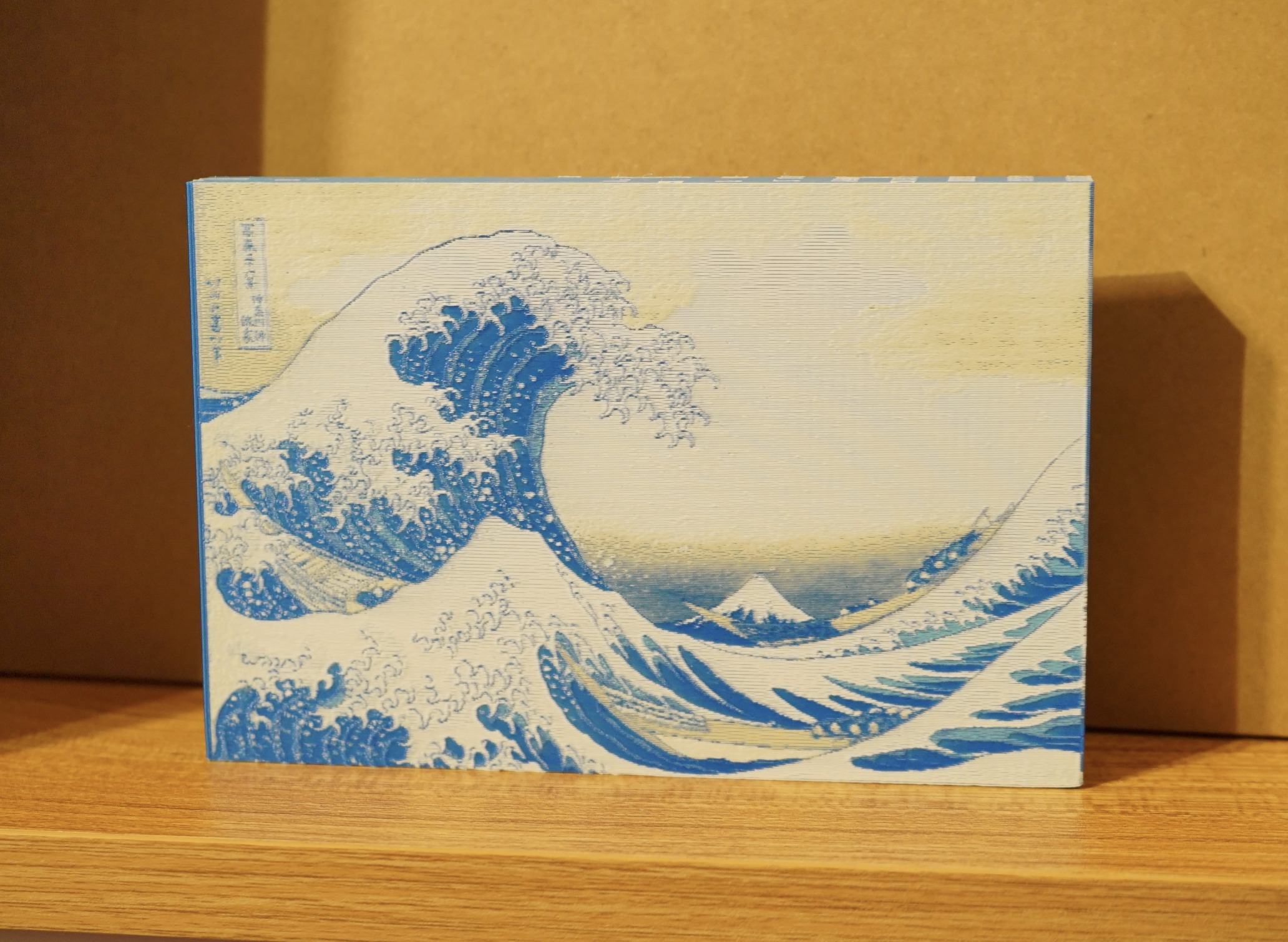
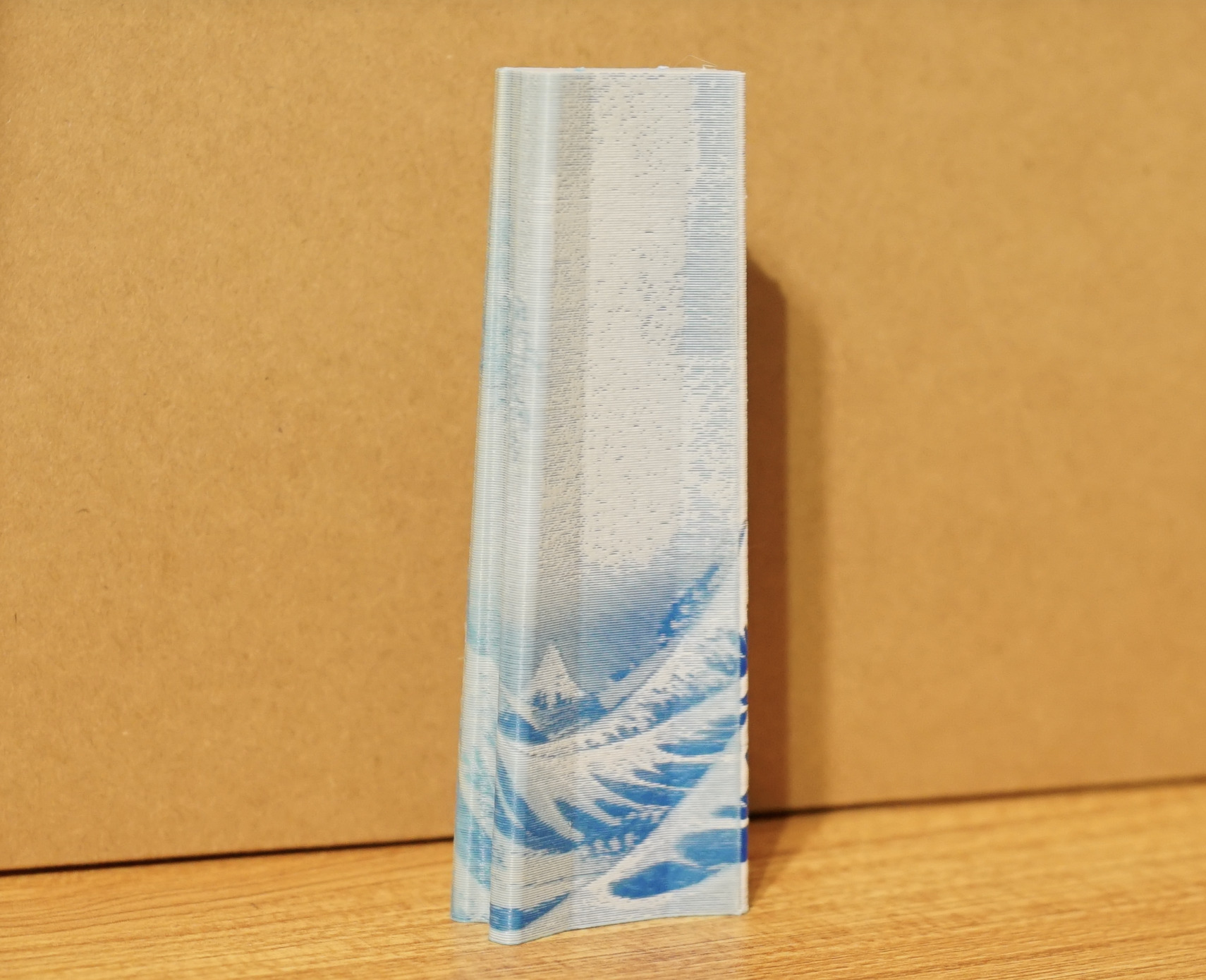
Test print with white, beige, light and dark blue PLA:
|
|
|
|
(image: The Great Wave off Kanagawa - Katsushika Hokusai)
|
|
|
|
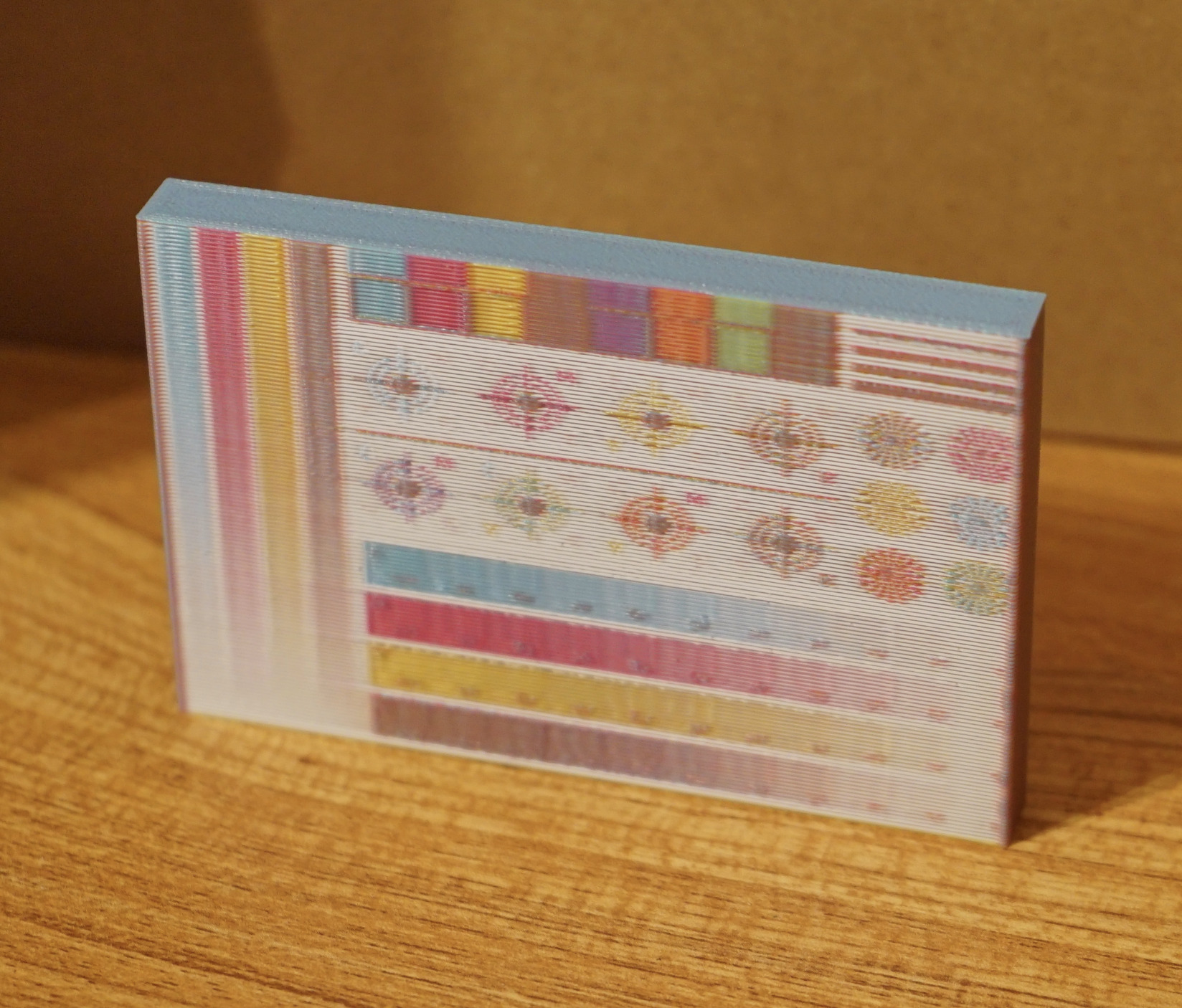
This color sheet was printed with CMYK PLA:
|
|
|
|
(test sheet image Designed by Freepik)
|
|
|
|
<h3>
|
|
|
|
# Official links
|
|
|
|
#### Gitlab Repository: <a href="https://gitlab.com/sentient_stardust/OrcaSlicer-ImageMap"><img src="https://img.shields.io/badge/OrcaSlicer--ImageMap-181717?style=flat&logo=gitlab&logoColor=white" width="200" alt="GitLab Logo"/> </a>
|
|
#### Downloads: <a href="https://gitlab.com/sentient_stardust/orcaslicer-imagemap/-/packages"><img src="https://img.shields.io/badge/Package_Repository-gray" alt="Package Repository"/> </a>
|
|
|
|
## ⚠️ **IMPORTANT DISCLAIMER** ⚠️
|
|
|
|
**This fork is currently in active development and has been tested on actual hardware.**
|
|
|
|
- **Use at Your Own Risk**: As with any slicer fork, please review critical prints and generated G-code before production use
|
|
|
|
</div>
|
|
|
|
# OrcaSlicer-ImageMap Features
|
|
|
|
### Texture Mapping
|
|
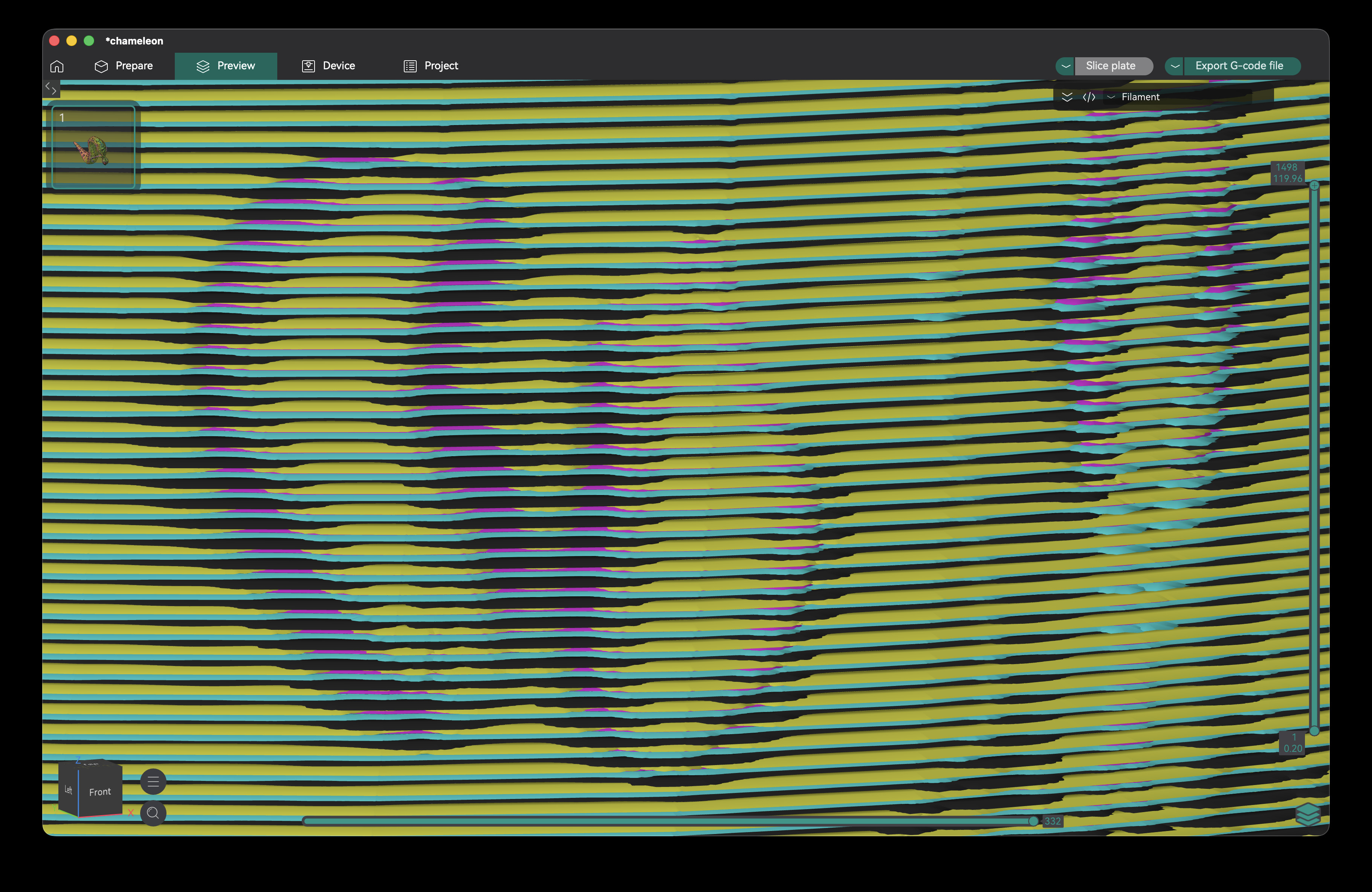
- **Create Images on the surface of your 3D prints** - each layer alternates through a fixed CMYK (or other) pattern, only varying the amount of overhang around the edge of your print. This creates a smooth surface, printing your image texture on the model with no additional seams.
|
|
|
|
|
|
|
|
Zoomed-out G-code preview:
|
|
|
|
|
|
|
|
### OBJ Image Texture Loading
|
|
|
|
- **Load OBJ files with image textures or vertex colors** - slice in full image resolution, no need to subdivide your model or bake vertex colors first
|
|
|
|
### Fast multicolor printing
|
|
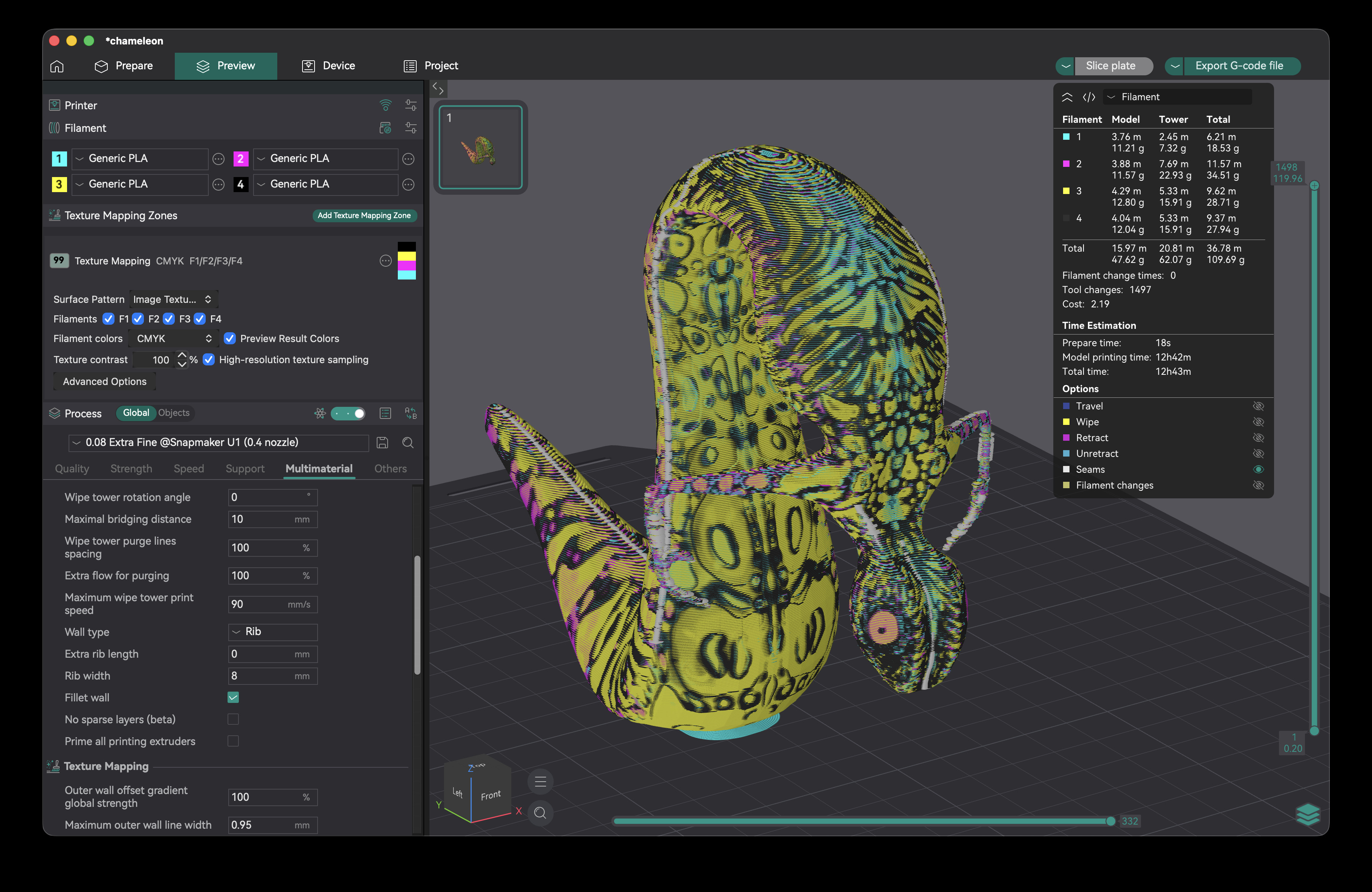
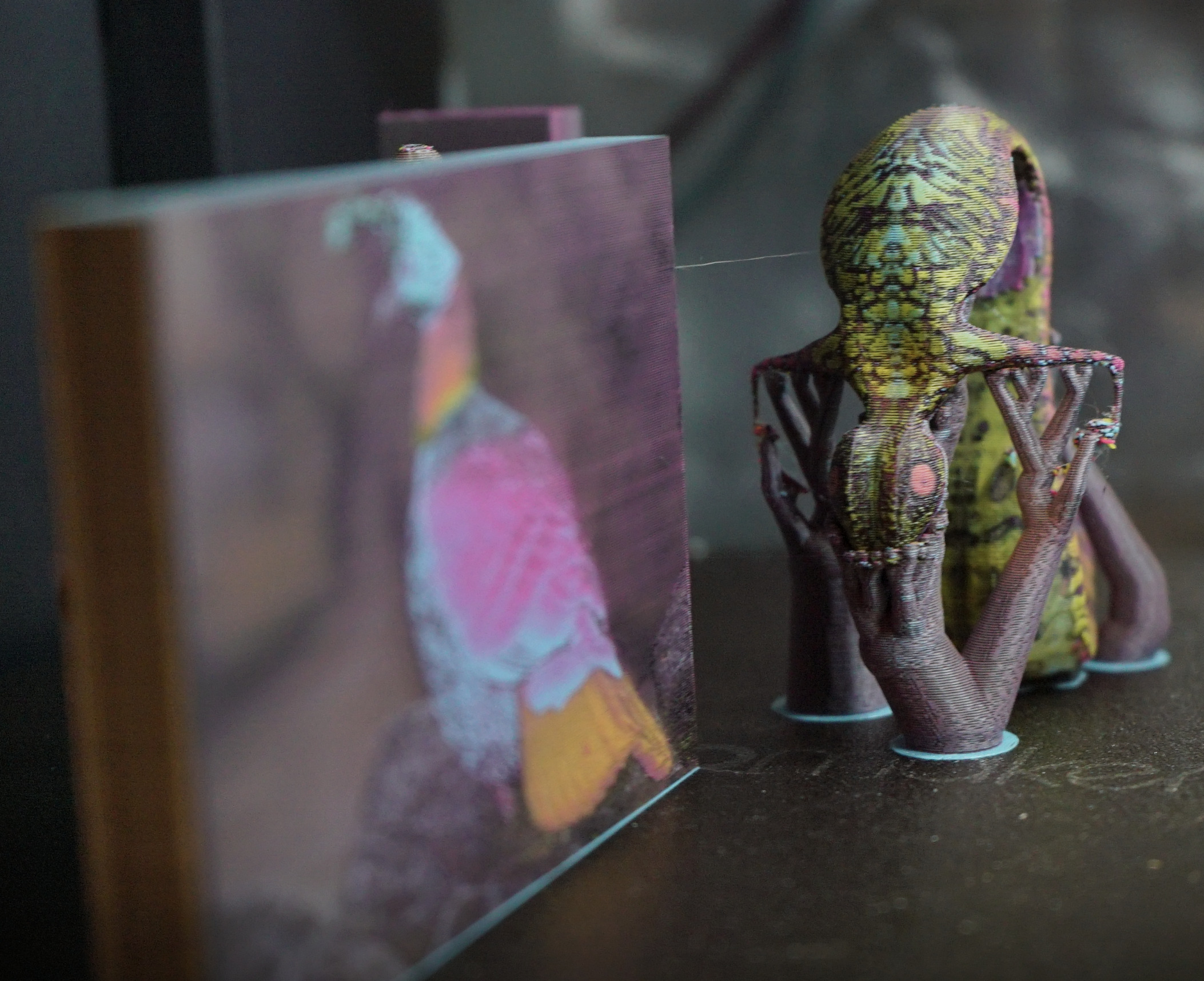
- When printing image textures with this fork, only a single color is used per layer (not dependent on texture color). You can print many different models at once without increasing the number of tool changes.
|
|
|
|
|
|
|
|
([3D model](https://sketchfab.com/3d-models/snakchameleon-f0e3c872f1984cf7a467645d9e0d3abd) by Pedram Ashoori, CC BY 4.0)
|
|
|
|
### Print images on your prime towers
|
|
- Turn your prime towers into ornaments (requires no extra tool changes, and typically <1g additional filament)
|
|
|
|
|
|
|
|
### Image Projection
|
|
|
|
|
|
|
|
|
|
### 2D Gradient Generation
|
|
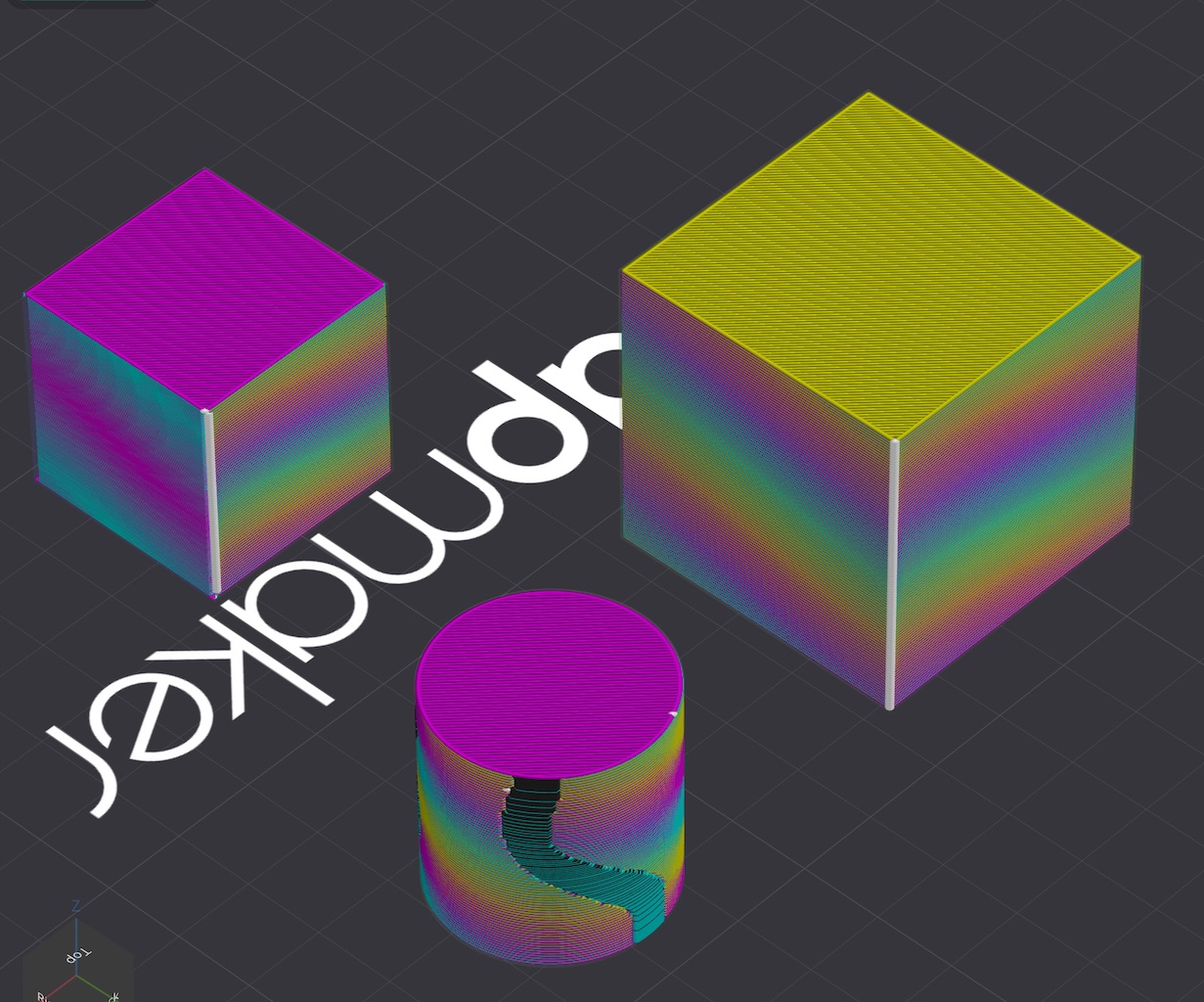
- **Create 2D Gradients** on your object by changing a texture mapping zone's pattern to "2D Gradient"
|
|
|
|
|
|
|
|
### Paintable regions
|
|
- Texture mapping and gradients integrate with OrcaSlicer color painting, so if you wanted you could have texture mapping only on one part of the model, and a solid filament color or gradient somewhere else.
|
|
|
|
### RGB Color Painting
|
|
|
|
# Download
|
|
|
|
## Beta Release Builds
|
|
|
|
📥 **[Download the Latest Build](https://gitlab.com/sentient_stardust/orcaslicer-imagemap/-/packages)**
|
|
Explore the latest developments in OrcaSlicer-ImageMap with our builds for MacOS and Windows. Feedback is highly appreciated.
|
|
|
|
# How to install
|
|
|
|
## Windows
|
|
|
|
Download the **Windows Portable build** for your preferred version from the [releases page](https://gitlab.com/sentient_stardust/orcaslicer-imagemap/-/packages).
|
|
|
|
-
|
|
<details>
|
|
<summary>Troubleshooting</summary>
|
|
|
|
- *If you have troubles to run the build, you might need to install following runtimes:*
|
|
- [MicrosoftEdgeWebView2RuntimeInstallerX64](https://github.com/OrcaSlicer/OrcaSlicer/releases/download/v1.0.10-sf2/MicrosoftEdgeWebView2RuntimeInstallerX64.exe)
|
|
- [Details of this runtime](https://aka.ms/webview2)
|
|
- [Alternative Download Link Hosted by Microsoft](https://go.microsoft.com/fwlink/p/?LinkId=2124703)
|
|
- [vcredist2019_x64](https://github.com/OrcaSlicer/OrcaSlicer/releases/download/v1.0.10-sf2/vcredist2019_x64.exe)
|
|
- [Alternative Download Link Hosted by Microsoft](https://aka.ms/vs/17/release/vc_redist.x64.exe)
|
|
- This file may already be available on your computer if you've installed visual studio. Check the following location: `%VCINSTALLDIR%Redist\MSVC\v142`
|
|
</details>
|
|
|
|
## Mac
|
|
|
|
1. Download the DMG for your computer from the [package repository](https://gitlab.com/sentient_stardust/orcaslicer-imagemap/-/packages)
|
|
2. Drag OrcaSlicer.app to Application folder.
|
|
3. The macos builds in this repository are not signed, so to run you also need to follow the instructions below:
|
|
|
|
<details>
|
|
<summary>Quarantine</summary>
|
|
|
|
- Option 1 (You only need to do this once. After that the app can be opened normally.):
|
|
- Step 1: Hold _cmd_ and right click the app, from the context menu choose **Open**.
|
|
- Step 2: A warning window will pop up, click _Open_
|
|
|
|
- Option 2:
|
|
Execute this command in terminal:
|
|
|
|
```shell
|
|
xattr -dr com.apple.quarantine /Applications/OrcaSlicer.app
|
|
```
|
|
|
|
- Option 3:
|
|
- Step 1: open the app, a warning window will pop up
|
|

|
|
- Step 2: in `System Settings` -> `Privacy & Security`, click `Open Anyway`:
|
|

|
|
</details>
|
|
|
|
## Linux
|
|
|
|
Currently builds are not available for linux, you must build this yourself
|
|
|
|
# How to Compile
|
|
|
|
All updated build instructions for Windows, macOS, and Linux are now available on the official [OrcaSlicer Wiki - How to build](https://www.orcaslicer.com/wiki/how_to_build) page.
|
|
|
|
Please refer to the wiki to ensure you're following the latest and most accurate steps for your platform.
|
|
|
|
# Klipper Note
|
|
|
|
If you're running Klipper, it's recommended to add the following configuration to your `printer.cfg` file.
|
|
|
|
```gcode
|
|
# Enable object exclusion
|
|
[exclude_object]
|
|
|
|
# Enable arcs support
|
|
[gcode_arcs]
|
|
resolution: 0.1
|
|
```
|
|
|
|
## Some Background
|
|
|
|
Open-source slicing has always been built on a tradition of collaboration and attribution. [Slic3r](https://github.com/Slic3r/Slic3r), created by Alessandro Ranellucci and the RepRap community, laid the foundation. [PrusaSlicer](https://github.com/prusa3d/PrusaSlicer) by Prusa Research built on Slic3r and acknowledged that heritage. [Bambu Studio](https://github.com/bambulab/BambuStudio) in turn forked from PrusaSlicer, and [SuperSlicer](https://github.com/supermerill/SuperSlicer) by @supermerill extended PrusaSlicer with community-driven enhancements. Each project carried the work of its predecessors forward, crediting those who came before.
|
|
|
|
OrcaSlicer began in that same spirit, drawing from BambuStudio, PrusaSlicer, and ideas inspired by CuraSlicer and SuperSlicer. But it has since grown far beyond its origins. Through relentless innovation — introducing advanced calibration tools, precise wall and seam control, tree supports, adaptive slicing, and hundreds of other features — OrcaSlicer has become the most widely used and actively developed open-source slicer in the 3D printing community. Many of its innovations have been adopted by other slicers, making it a driving force for the entire industry.
|
|
|
|
OrcaSlicer-ImageMap is a fork of OrcaSlicer made by sentientstardust, to add image printing support using overhang and alternating CMYK (or other color) layers.
|
|
|
|
The OrcaSlicer logo was designed by community member Justin Levine (@freejstnalxndr).
|
|
|
|
## Acknowledgements
|
|
Use of filament overhang to create the appearance of continuous imagery based on [Kuipers, et. al 2018](https://arxiv.org/pdf/1805.01375)
|
|
|
|
Thanks to neotko for giving me some helpful suggestions on overhang implementation when I was working on 2D gradient functionality
|
|
|
|
# License
|
|
- **OrcaSlicer-ImageMap** is licensed under the GNU Affero General Public License, version 3. OrcaSlicer-ImageMap is forked from OrcaSlicer.
|
|
- **OrcaSlicer** is licensed under the GNU Affero General Public License, version 3.
|
|
- The **GNU Affero General Public License**, version 3 ensures that if you use any part of this software in any way (even behind a web server), your software must be released under the same license.
|
|
- OrcaSlicer includes a **pressure advance calibration pattern test** adapted from Andrew Ellis' generator, which is licensed under GNU General Public License, version 3. Ellis' generator is itself adapted from a generator developed by Sineos for Marlin, which is licensed under GNU General Public License, version 3.
|
|
- The **Bambu networking plugin** is based on non-free libraries from BambuLab. It is optional to the OrcaSlicer and provides extended functionalities for Bambulab printer users.
|
|
- This repository uses Pigment Painter in order to predict how filament colors will mix. Pigment Painter is licensed under the GNU General Public License, version 3. |